NODE.JS
3 files
-
WhatsCRM - WhatsApp CRM, AI Automation, and Multi-Channel SaaS Bundle (Node.js Script) is a comprehensive software solution designed to help businesses manage customer interactions across multiple communication channels, with a primary focus on WhatsApp. Built as a Node.js script, this SaaS bundle integrates various features to streamline customer relationship management (CRM), automate marketing and support processes using AI, and enable multi-channel communication for enhanced engagement.
WhatsCRM is an innovative customer relationship management (CRM) platform specifically designed to harness the power of WhatsApp, along with other popular communication channels, to streamline and automate business interactions. At its core, it integrates directly with WhatsApp, allowing businesses to manage customer conversations, store contact information, and send targeted messages all within a centralized dashboard. This integration enables companies to maintain personalized engagement with their customers, respond quickly to inquiries, and nurture leads without the need for extensive manual effort. By leveraging WhatsApp’s widespread popularity, WhatsCRM provides a highly accessible and efficient way for organizations to stay connected with their audience, build trust, and improve overall customer satisfaction.
The platform’s standout feature is its AI-powered automation capabilities, which significantly reduce the workload on support and sales teams. Using advanced Natural Language Processing (NLP), the system can understand and respond to common customer questions automatically, providing instant assistance around the clock. This not only improves response times but also ensures that customers receive consistent and accurate information. Additionally, businesses can set up automated workflows such as follow-up messages, appointment reminders, or promotional campaigns that trigger based on customer actions or predefined schedules. These intelligent automations enable a more personalized and engaging experience for customers, fostering loyalty and increasing conversion rates. The AI modules can be customized further to suit specific business needs, making the system adaptable across various industries.
Features of WhatsCRM Node.js Script
WhatsApp Integration
Multi-Channel Support
Contact Management
Customer Profiles
Conversation History
Tags & Segmentation
Lead Management
Deal & Pipeline Tracking
Notes & Internal Comments
Custom Fields
Communication & Messaging
Automated Messaging
Broadcast Campaigns
Template Messages
Rich Media Support
Quick Replies & Keyboard Buttons
Message Templates Approval
Delivery & Read Receipts
Chatbot Integration
Customer Interaction Scoring
AI & Automation
Natural Language Processing (NLP)
Auto-Response Flows
Automated Follow-ups
Lead Qualification Automation
Workflow Automation
AI Sentiment Analysis
Personalized Recommendations
Campaigns & Marketing
Automated Nurturing Sequences.
Event & Appointment Reminders
Promotional Campaigns
Referral & Loyalty Programs
Geolocation Targeting
Analytics & Reporting
Real-time Dashboard
Engagement Metrics
Conversion Tracking
Customer Satisfaction Scores
Performance Reports
Security & Compliance
End-to-End Encryption
Data Privacy & GDPR Compliance
Role-Based Access Control
Maintain activity logs for accountability.
Integration & Extensibility
Connect with external tools and platforms.
Webhook Support
Third-Party Integrations
Custom Scripts & Plugins
Multi-User Support
Deployment & Maintenance
Cloud Deployment
On-Premise Deployment
Scalability & Load Balancing
Automatic Updates & Maintenance
- 0 Downloads
-
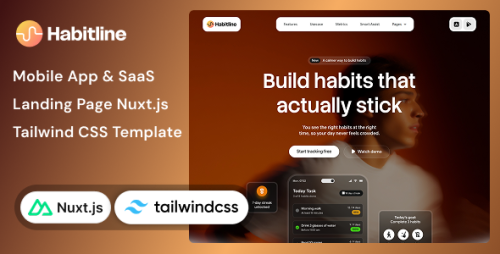
Habitline - Mobile App, SaaS Landing Page Nuxt.js & Tailwind CSS Template is a modern and versatile website template designed specifically for promoting mobile applications, SaaS (Software as a Service) products, or digital platforms. Built using Nuxt.js, a progressive Vue.js framework, and styled with Tailwind CSS, a utility-first CSS framework, Habitline offers a sleek, responsive, and highly customizable landing page that can help you showcase your app or SaaS product effectively.
This template is crafted to provide a clean and professional look, emphasizing user engagement and conversion. It typically includes sections such as hero banners, feature highlights, pricing tables, testimonials, call-to-action buttons, and contact forms, all designed to be easily customizable to match your branding and product details. Since it leverages Nuxt.js, Habitline benefits from Vue.js’s reactive power, enabling dynamic content, smooth animations, and improved performance, which are essential for delivering a modern user experience. Tailwind CSS ensures that the design is highly flexible, allowing you to tweak styles effortlessly without writing extensive custom CSS.
Overall, Habitline is an ideal starting point for startups, app developers, or SaaS businesses aiming to create a professional online presence quickly. Its combination of Nuxt.js and Tailwind CSS ensures that the template not only looks great on any device but is also optimized for fast loading and scalability. By using this template, you can focus on your product and marketing efforts while relying on a well-structured, aesthetically appealing, and developer-friendly landing page design.
Habitline - Landing Page Nuxt.js & Tailwind CSS Template Features
Fully responsive design for all devices
Built with Nuxt.js for Vue.js integration
Styled with Tailwind CSS for easy customization
Modern and clean UI/UX design
One-page layout with smooth scrolling
Customizable hero section with CTA buttons
Feature showcase sections
Pricing tables for different plans
Testimonials and reviews sections
Blog or news section for updates
Signup and contact forms with validation
Integration with Mailchimp or other email services
Social media icons and sharing options
SEO optimized code structure
Fast loading performance with optimized assets
Easy color scheme customization
Multiple pre-designed sections for quick setup
Parallax scrolling effects
Animated elements for engagement
Sticky navigation menu for easy browsing
Dark mode ready design
Customizable typography with Google Fonts
Built-in support for icons (Font Awesome, Feather, etc.)
Cross-browser compatibility
Clean, modular code for easy updates
Support for custom logos and branding
Integration with analytics tools (Google Analytics)
Optional multilingual support
Clear call-to-action buttons throughout
User-friendly admin panel for customization
Easy deployment with static site generation
Support for custom sections and components
Documentation and setup guide included
Regular updates and bug fixes
Optimized for SEO and social sharing
Mobile-first design approach
Easy integration with third-party services (Stripe, PayPal)
Lightweight and minimal code for fast performance
Well-structured codebase for developer ease
Free updates and dedicated support options
- 0 Downloads
-
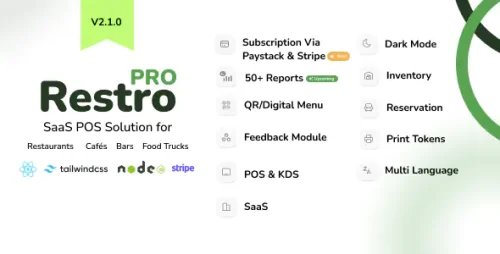
RestroPro SaaS - Restaurant POS Software React Node.js Script is an advanced, feature-rich, and scalable point-of-sale solution specifically designed for the restaurant industry. Built using modern web development technologies, this script combines React.js for a dynamic and user-friendly frontend interface with a powerful Node.js backend that handles server-side operations seamlessly. It offers a comprehensive platform for restaurant owners and managers to efficiently manage their daily operations, improve customer service, and increase overall business productivity.
The software provides a wide range of functionalities such as order management, billing, and payment processing, enabling staff to quickly take orders, generate bills, and process various payment methods including cash, card, and digital wallets. Its inventory management system helps track ingredient and supply levels in real-time, reducing waste and ensuring stock availability. Staff management features allow for role-based access control, shift scheduling, and performance monitoring, helping optimize workforce efficiency.
Additionally, RestroPro SaaS offers detailed reporting and analytics tools that provide valuable insights into sales trends, popular menu items, peak hours, and overall business performance. These reports assist restaurant owners in making informed decisions to boost profitability and enhance customer experience.
Designed as a SaaS (Software as a Service) solution, it is hosted on the cloud, enabling multiple restaurant locations to access the system securely from anywhere with an internet connection. This cloud-based approach facilitates easy updates, maintenance, and scalability, making it ideal for growing restaurant chains.
Developers and entrepreneurs can leverage this script to quickly deploy a customized restaurant management system tailored to their unique needs. The React frontend ensures an engaging user experience, while the Node.js backend guarantees fast, reliable, and scalable performance. Whether you're setting up a new restaurant or upgrading an existing system, RestroPro SaaS - Restaurant POS Software Script offers an efficient, modern, and flexible solution to streamline restaurant operations and improve overall efficiency.
RestroPro SaaS React Node.js Script Features
Intuitive Order Management
Easy-to-use interface for taking dine-in, takeout, and delivery orders
Customizable menu management with categories, modifiers, and addons
Real-time order updates and status tracking
Support for multiple tables and seating arrangements
Quick reorder and order history for faster service
Split bills and combine orders seamlessly
Robust Billing & Payment Processing
Automated bill generation with itemized details
Multiple payment options including cash, credit/debit cards, digital wallets, and online payments
Support for discounts, promotions, and loyalty programs
Tax calculation and inclusive/exclusive tax settings
Printing and digital receipt generation
Refunds and void transactions management
Inventory & Stock Management
Real-time inventory tracking for ingredients and supplies
Automatic stock deduction on order placement
Low stock alerts and notifications
Inventory adjustments and stock audits
Supplier management and purchase order tracking
Barcode scanning support for quick inventory updates
Staff & User Management
Role-based access control (admin, manager, staff)
Staff shift scheduling and clock-in/clock-out tracking
User activity logs for security and auditing
Multi-user login support
Permissions management for different operational levels
Menu Management
Dynamic menu creation and editing
Customizable modifiers and add-ons per menu item
Seasonal and promotional menu options
Images and descriptions for menu items
Availability control for time-specific items
Table & Seating Management
Interactive floor plan for table management
Reservation management and booking history
Table status indicators (occupied, available, reserved)
Waitlist management and queue handling
Advanced Reporting & Analytics
Daily, weekly, monthly sales reports
Sales by item, category, or staff member
Revenue tracking and profit analysis
Customer insights and order trends
Inventory usage and wastage reports
Custom report generation
Customer Loyalty & Promotions
Loyalty point system integration
Promo codes and discounts
Happy hour and special event pricing
Customer database management
Multi-Location & SaaS Support
Cloud-based deployment for multi-restaurant management
Centralized dashboard for all locations
Location-specific menu and settings
Role-based data access across locations
User-Friendly Dashboard & Interface
Responsive design compatible with tablets and mobile devices
Customizable dashboard widgets
Real-time notifications and alerts
Multi-language support
Integration & Extensibility
Payment gateway integrations (Stripe, PayPal, others)
Kitchen display system (KDS) integration
External hardware support (printers, barcode scanners, tablets)
API access for third-party integrations
Plugin and module support for future extensions
Security & Data Protection
Data encryption and secure login
Backup and restore options
Audit logs for all transactions and changes
GDPR compliance and user privacy controls
Offline mode support with data sync once online
Customizable user interface themes
Automated backups and system updates
Support for multiple currencies and tax systems
Comprehensive help and support documentation
- 0 Downloads
.thumb.png.43763dd1438ec3a1d66c9f0a66d578e6.png)