MOBILE
32 files
-
Tic Tac Toe - The Classic Flutter Tic Tac Toe Game is a Digital Adaptation of the traditional, timeless game of Tic Tac Toe, built using Flutter, Google's open-source UI toolkit for creating natively compiled applications for mobile, web, and desktop from a single codebase. This game offers a fun, interactive, and user-friendly experience where players take turns marking spaces on a 3x3 grid, aiming to align three of their marks (X or O) in a row, column, or diagonal to win.
Tic Tac Toe is a timeless and engaging mobile game application developed using Flutter, Google's popular open-source UI toolkit for building natively compiled applications for mobile, web, and desktop from a single codebase. This game offers a nostalgic experience of the traditional Tic Tac Toe game, also known as Noughts and Crosses, with a sleek, modern interface and smooth gameplay.
Designed for players of all ages, Tic Tac Toe provides a simple yet addictive gameplay experience that challenges players to think strategically and outsmart their opponents. The game features a clean and intuitive user interface, making it easy for users to start playing instantly without any complicated setup or instructions.
The game supports various modes, including single-player mode where players can compete against a computer AI that offers different difficulty levels, and two-player mode, allowing friends or family members to play against each other on the same device. The AI opponent is designed to provide a challenging experience, making the game suitable for both casual players and those seeking a more competitive challenge.
Tic Tac Toe Mobile Flutter App Features
Responsive UI – Compatible with all device sizes and orientations.
Single-Player Mode – Play against the computer AI.
Two-Player Mode – Play with a friend on the same device.
Multiple Difficulty Levels – Easy, Medium, Hard AI challenges.
Clean and Intuitive Interface – User-friendly design for all ages.
Animated Moves – Smooth animations when placing X or O.
Real-time Turn Indicator – Shows whose turn it is.
Win Detection – Automatically detects winning conditions.
Draw Detection – Recognizes tie games.
Score Tracking – Keeps track of wins, losses, and draws.
Game Reset Button – Restart the game easily.
Replay Option – Play again without restarting the app.
Customizable Player Names – Enter and display player names.
Sound Effects – Optional sounds for moves, wins, and draws.
Background Music – Optional background music for enhanced experience.
Dark and Light Themes – Support for multiple themes.
Highlight Winning Line – Visually emphasize the winning combination.
Highlight Current Player – Visual cue for whose turn it is.
Animated Scoreboard – Dynamic updates of scores.
Timer Feature – Optional timer to limit move time.
Pause and Resume Game – Pause ongoing game.
Custom Grid Size – Option to change grid dimensions (e.g., 4x4).
Hints and Tips – Optional hints for players.
Player vs Player Online Mode – Multiplayer over the internet (advanced).
Achievements System – Unlock achievements for wins/loses.
Leaderboard – Compete with friends or global players.
Game History – View previous game moves and outcomes.
Vibration Feedback – Haptic feedback on moves.
Accessibility Features – Support for visually impaired users.
Persistent Storage – Save scores and settings locally.
Cloud Save – Save game progress and stats online.
Customizable UI Themes – Change colors, styles, and skins.
In-app Notifications – Announce new features or updates.
Multilingual Support – Multiple language options.
Share Results – Share game results on social media.
Ad Support (Optional) – Integrate ads for monetization.
In-App Purchase Options – Remove ads, buy themes, etc.
Tutorial Mode – Guide new players through gameplay.
Dark Mode – Support for low-light environments.
Optimized Performance – Smooth gameplay on low-end devices.
Code Customization – Easy to modify for developers.
Open Source Codebase – For learning and customization.
Cross-platform Compatibility – Works seamlessly on Android and iOS.
Push Notifications – Remind players of game updates or challenges.
- 0 Downloads
-
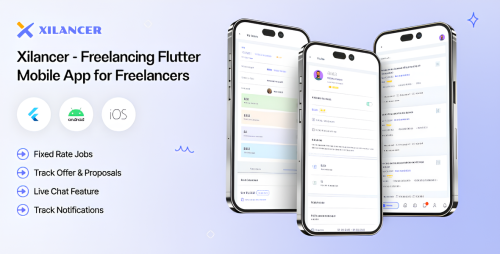
The Freelancer Flutter Mobile App - Xilancer Freelancer Marketplace Platform is a ready-to-use mobile application built with Flutter, designed to create a freelancer marketplace platform similar to popular platforms like Upwork, Fiverr, or Freelancer.com. It enables users to offer and hire services across various categories, facilitating seamless connections between freelancers and clients through a mobile app.
The Xilancer Freelancer Marketplace Platform is a comprehensive, feature-rich mobile application built with Flutter, designed to empower entrepreneurs, businesses, and developers to launch their own freelancer marketplace effortlessly. This innovative app provides a seamless and engaging experience for both freelancers and clients, enabling them to connect, collaborate, and complete projects efficiently within a secure and scalable environment.
Built with the latest Flutter technology, this marketplace app ensures a high-performance, beautiful, and responsive interface across both Android and iOS platforms from a single codebase. It offers an intuitive user experience, robust functionality, and easy customization options, making it an ideal solution for startups, enterprises, and entrepreneurs aiming to create their own freelance service platform quickly and cost-effectively.
Freelancer Flutter Mobile App Features
User Management & Profiles
User registration and login (email, social media)
Freelancer and client profile creation and editing
Profile verification (email, phone, ID)
Portfolio showcase for freelancers
Skill tags and categories
User activity history
User reputation and badges
Multi-language profile support
Profile editing and customization
Service & Gig Management
Service listing creation and editing
Service categories and subcategories
Multiple pricing packages (basic, standard, premium)
Service description with images and videos
Service availability scheduling
Service reviews and ratings
Service completion status tracking
Job & Proposal System
Job posting with detailed requirements
Proposal submission with attached files
Proposal editing and withdrawal
Proposal status updates (accepted, rejected, pending)
Featured jobs and promoted listings
Hidden or private jobs
Search & Filtering
Advanced search with filters (category, skills, budget, location)
Keyword-based search
Sorting options (latest, highest rated, most relevant)
Location-based browsing
Messaging & Communication
Real-time chat between users
File sharing within chats
Chat notifications and read receipts
Conversation history management
Payment & Financial Management
Secure escrow payment system
Milestone-based payments
Automatic release of funds upon approval
Payout management for freelancers
Multiple payment gateways (PayPal, Stripe, etc.)
Transaction history and invoicing
Refund and dispute management
Review & Feedback
Post-project reviews and star ratings
Feedback comments
Review moderation and management
User reputation system
Notifications & Alerts
Push notifications for messages, proposals, jobs
Email notifications for important activities
In-app notifications center
Dispute & Support
Dispute resolution system
Support ticket submission
FAQ and help center
Admin Panel & Platform Management
User management and moderation
Job and service approval workflows
Financial and transaction oversight
Content management (terms, policies)
Platform analytics and reports
Promotional banners and announcements
Multi-currency support
Multi-language support
Referral and affiliate program integration
Wishlist or favorite services/freelancers
Discount codes and promotional offers
Subscription plans for freelancers and clients
Data backup and security features
- 0 Downloads
-
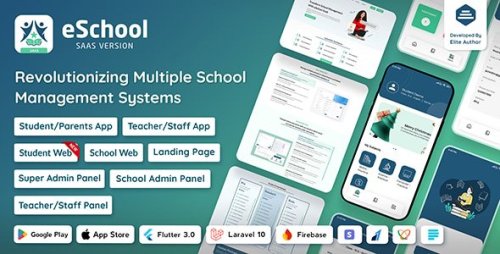
eSchool SaaS - School Management System with Student/Parent Flutter App is an advanced, cloud-based school management platform designed to revolutionize the way educational institutions operate and communicate. Built on a robust SaaS (Software-as-a-Service) model, this system offers a comprehensive and scalable solution that caters to the diverse needs of schools, colleges, and educational organizations. Its cutting-edge mobile applications, developed using Flutter, provide seamless access for students and parents on both Android and iOS devices, ensuring real-time connectivity and engagement.
At its core, eSchool SaaS simplifies administrative tasks, enhances communication, and promotes transparency within the school ecosystem. The platform features an intuitive web-based dashboard for administrators and staff, enabling them to efficiently manage academic records, student information, staff, fee processing, timings, exams, and extracurricular activities—all from a centralized system. Meanwhile, students and parents enjoy dedicated mobile apps that deliver instant updates on attendance, grades, homework, exam schedules, fee payments, and important announcements, fostering greater involvement in the student's educational journey.
Security and data privacy are prioritized through role-based access controls, ensuring that sensitive information is accessible only to authorized users. The platform’s flexible architecture allows customization of modules and features to meet the specific requirements of each institution. Moreover, comprehensive reporting and analytics tools offer valuable insights into academic performance, attendance trends, financial data, and operational efficiency, empowering school administrators to make informed decisions.
The integration of Flutter-based mobile apps ensures a high-performance, visually appealing, and user-friendly experience across devices, making it easier for students and parents to stay connected, monitor progress, and participate actively in school activities. The cloud hosting infrastructure guarantees scalability, data security, and minimal maintenance, enabling schools to focus on delivering quality education.
In summary, eSchool SaaS - School Management System with Student/Parent Flutter App is a modern, all-in-one educational management solution that bridges the gap between administrative needs and student-parent engagement, fostering a connected, transparent, and efficient learning environment for all stakeholders.
Features of eSchool SaaS - School Management System with Student
Centralized Dashboard – Unified interface for administrators to manage all school operations.
Multi-Branch / Multi-Campus Support – Manage multiple campuses within one platform.
Student Enrollment & Admission Management – Streamlined admission process with online forms.
Student Profile Management – Detailed profiles including personal, academic, and behavioral data.
Staff / Teacher Management – Manage staff details, roles, and schedules.
Role-Based Access Control – Secure login with different permissions for admins, teachers, students, and parents.
Class & Section Management – Organize classes, sections, and subjects efficiently.
Subject & Curriculum Management – Define subjects, curriculums, and syllabi.
Timetable & Scheduling – Create and publish class schedules and exam timetables.
Attendance Management – Record and monitor student attendance via web and mobile apps.
Exam & Assessment Management – Schedule exams, assign grades, and publish results.
Report Cards & Gradebooks – Generate and view detailed student report cards.
Fee & Payment Management – Automate fee collection, generate invoices, and track payments.
Library Management System – Issue, return, and track books and resources.
Transport Management – Manage bus routes, schedules, and student transport assignments.
Hostel & Accommodation Management – Track hostel allocations and facilities.
Event & Calendar Management – Schedule school events, holidays, and activities.
Notification & Announcement System – Send alerts, reminders, and updates via email, SMS, or push notifications.
Parent & Student Mobile Apps – Flutter-based apps for real-time access to academic and administrative data.
Messaging & Communication Portal – Direct chat or messaging feature for teachers, students, and parents.
Homework & Assignments – Assign and track homework submissions.
Extracurricular Activities Management – Track sports, clubs, and other non-academic activities.
Disciplinary & Behavioral Records – Maintain behavioral logs and disciplinary actions.
Document Management – Upload, store, and access important documents securely.
Analytics & Reports – Generate insights on attendance, performance, finances, and more.
Data Backup & Security – Regular backups and secure data storage.
Integration with Third-Party Tools – Compatibility with payment gateways, email services, etc.
Customizable Modules & Workflows – Tailor features as per school needs.
Automated Reminders & Alerts – For fees, exams, events, and other important activities.
Parent-Teacher Meeting Scheduling – Manage and organize parent-teacher conferences.
Polls & Feedback System – Gather opinions from students, parents, and staff.
Student Attendance via QR/Barcode – Use QR codes or barcodes for quick attendance marking.
Multi-language Support – Support for multiple languages for diverse user base.
API Access & Integration – Connect with other school or third-party applications.
Custom Reports & Export Options – Export data in various formats for analysis.
User Activity Logs – Track user actions for security and auditing.
Online Admission & Payment Portal – Streamlined online application and fee payment.
Security & Privacy Controls – Ensure data protection and compliance.
Scalable Cloud Hosting – Flexible infrastructure to grow with your institution.
24/7 Support & Maintenance – Ongoing technical support and updates.
- 0 Downloads
-
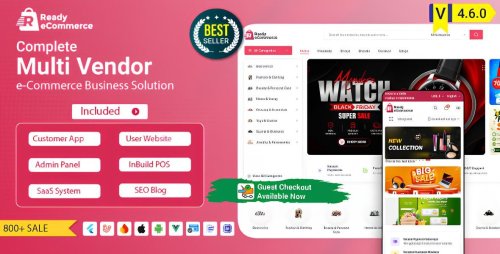
Ready eCommerce is an all-in-one multi-vendor eCommerce solution designed to help entrepreneurs and business owners create a seamless online marketplace combined with a physical retail presence. This comprehensive platform includes a fully responsive customer-facing website, a powerful mobile application compatible with both Android and iOS devices, and an integrated Store POS system for in-store transactions. The platform is built to support multiple vendors, allowing them to register, list their products, manage orders, and earn commissions within a single unified marketplace. This multi-vendor architecture makes it easy to expand product offerings without the need for managing inventory directly, enabling rapid growth and diversification of your online store.
The customer website offers a modern, user-friendly interface optimized for smooth navigation, product browsing, and secure transactions. Customers can search and filter products, view detailed descriptions, add items to their cart, and complete purchases using multiple payment gateways. The mobile app mirrors the website’s functionality, providing customers with a convenient shopping experience on the go, ensuring your marketplace is accessible anytime, anywhere. Both platforms are designed with scalability in mind, allowing you to customize features, manage products, track orders, and analyze sales performance effortlessly through robust admin and vendor dashboards. This seamless integration between online and mobile channels helps you reach a broader audience and boost sales.
The inclusion of a Store POS system further enhances the platform’s versatility, enabling physical retail stores to operate efficiently alongside the online marketplace. The POS system supports in-store sales, inventory management, and real-time synchronization with your online store, ensuring stock levels are always up-to-date across all channels. Whether customers shop online or visit your physical location, transactions are processed smoothly, providing a consistent customer experience. The platform’s security features safeguard customer data and financial transactions, while its flexible architecture allows for future customization and integrations, making it ideal for businesses aiming for long-term growth in both eCommerce and brick-and-mortar retail sectors.
Ready eCommerce Multi Vendor eCommerce Mobile App Features
Multi-vendor marketplace support
Vendor registration and onboarding
Vendor dashboard management
Product listing and management for vendors
Product reviews and ratings
Advanced product search and filtering
Multiple product types and variants
Category and subcategory management
Promotional banners and discounts
Secure customer registration and login
Social media login options
User profile management
Wishlist and favorites
Shopping cart and checkout process
Multiple payment gateway integrations
Address and shipping management
Order tracking and history
Push notifications for order updates
Customer reviews and feedback
Coupon and discount codes
Real-time inventory management
Multi-shipping options (standard, express, local pickup)
Multi-language and currency support
SEO optimized URLs and metadata
Analytics and sales reports
Admin panel for store management
Vendor payout management
Commission calculation and management
Integrated Store POS system for in-store sales
Quick barcode scanning for product lookup
Inventory synchronization across online and offline channels
Customer loyalty and rewards program
Easy customization of themes and layouts
Support for multiple shipping providers
Refund and return management
Secure data encryption and SSL support
Automated email notifications and alerts
User role and permission management
Multi-language customer support
Mobile app support for Android and iOS
Push notifications for promotions and updates
Comprehensive product analytics
Customer support chat integration
Extensible architecture for future features
GDPR compliance and data privacy support
- 0 Downloads
-
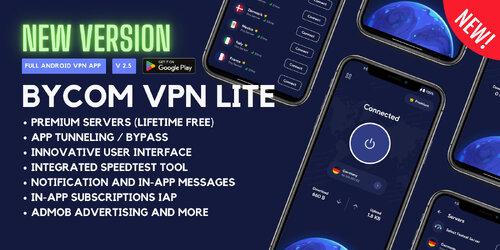
Bycom VPN Lite is an advanced Android application designed to provide users with a secure and private browsing experience. Its sleek and intuitive interface, built with Google's Material You (M3) design, ensures seamless navigation and user engagement.
Free VPN Servers: Access a variety of free servers to maintain anonymity and security online. Lifetime free! Zero Maintenance! 500MB/User/Day
Split Tunneling (App Filter): Customize which apps utilize the VPN connection, offering flexibility and control over your data.
Speed Test Tool: Evaluate your connection speed with integrated tools that test networks worldwide, ensuring optimal performance.
In-App Purchases (Subscriptions): Easily upgrade to premium features through convenient in-app subscription options.
Google AdMob Advertisements: Monetize your app seamlessly with integrated AdMob support.
OneSignal Integration: Engage users effectively with in-app messages and push notifications powered by OneSignal.
Quick Settings Tile: Utilize the QS Tile feature for swift connect and disconnect actions directly from the notification shade.
Privacy and GDPR Compliance: Ensure user data protection with full compliance to privacy standards and GDPR regulations.
- 0 Downloads
-
WeERP – Business or company management solution with POS (SaaS) including web panel
WeERP is a complete business management solution for the most common business platforms. It has a lot of build-in futures which are needed for every business management site. It is designed for those who want to start their business manage or product sale website. There are many ERP scripts, many of them are very expensive, and have very complex interfaces for admin and user. WeERP is designed with user friendly interface and simple interface. Any non-technical person can use this software.
No need to waste money on developing new software And no need to waste time.WeERP will help you like – Business Management, Subscription, Branch management, Product and multiple variation, Customer management, Business support system , Plans and pricing, Accounts management, Purchase and purchase return, stock management, multiple label print system, online payment system, Sales , POS and etc. Setting up your website with our system only takes a few minutes. We can provide support, installation and customization if you need it.
- 0 Downloads
-
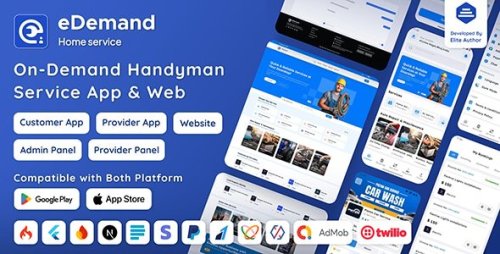
eDemand is an all-in-one Flutter handyman app, CodeIgniter admin panel, and Next.js web platform designed to help entrepreneurs, agencies, and developers launch a scalable multi-vendor on-demand service marketplace with zero setup hassle.
Whether you’re starting a handyman booking app, a home services platform, or a complete service on-demand ecosystem, eDemand has everything you need from customizable templates to real-time bookings and multi-language support.
Built for performance and flexibility, this handyman service application delivers native-like speed, a modern UI, and full white-label customization to suit any niche – making it the ideal service booking script for rapid deployment, monetization, and growth.
Features of eDemand - Multi Vendor On-Demand Handyman Service App
eDemand offers a robust technical foundation that best suits high-performance service on-demand applications as well as online handyman marketplace platforms:
Flutter Mobile Applications: Separate apps for Customers and Service Providers, delivering personalized user journeys.
CodeIgniter Panels: Dedicated panels for Service Providers and a Super Admin to efficiently manage and oversee platform activities.
NextJS Website: Individual website for Customers, providing optimized user experiences.
Comprehensive Documentation: Step-by-step guides for easy setup and installation.
Lifetime Free Updates: Stay current with regular feature upgrades and improvements.
6 Months Technical Support: Access to our expert team for any technical assistance.
- 0 Downloads
-
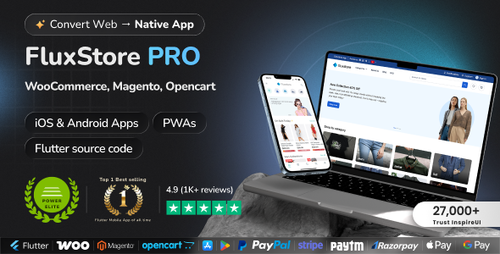
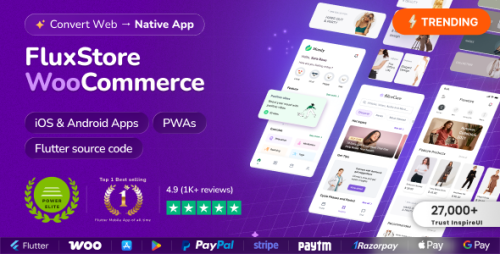
FluxStore Pro is a commercial Flutter-based mobile app template/framework created by InspireUI that lets you turn an existing e-commerce website into a native Android and iOS app. It works with popular platforms such as WooCommerce, Magento, and OpenCart by connecting the app to your store's backend APIs.
Fluxstore Pro - Flutter E-commerce Full App is a comprehensive mobile application template designed for building e-commerce apps using Flutter. It supports multiple backend platforms, including Magento, OpenCart, and WooCommerce.
FluxStore Pro Flutter Mobile App Features
Cross-Platform Compatibility : Built with Flutter, enabling deployment on both iOS and Android devices.
Multi-Backend Support : Compatible with Magento, OpenCart, and WooCommerce, providing flexibility to choose your preferred platform.
User-Friendly Interface : Modern, clean, and customizable UI/UX designed for a seamless shopping experience.
Product Management : Categories, product details, search, filters, and sorting options.
Shopping Cart & Checkout : Add to cart, view cart, apply coupons, and secure checkout process.
User Account Management : User registration, login, profile management, order history, and address management.
Payment Integration : Supports multiple payment gateways such as PayPal, Stripe, Razorpay, etc.
Push Notifications : Real-time updates about orders, promotions, and offers.
Multi-Language & RTL Support : Localization features, including right-to-left language support.
Loyalty & Rewards : Points and rewards system for customer retention.
Social Login : Login via social media platforms like Facebook, Google, etc.
Multi-Currency : Support for multiple currencies for international shoppers.
Admin Panel : Backend management for products, orders, users, and content.
Performance Optimization : Fast loading times with optimized code and architecture.
Customization & Extensibility : Highly customizable to tailor the app to specific needs.
Offline Mode : Some features available offline for better user experience.
Sample Data : Comes with demo data to help users get started quickly.
Documentation & Support : Detailed documentation and customer support options.
- 0 Downloads
-
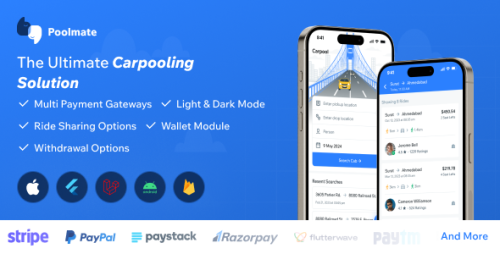
PoolMate is an entire carpooling decision developed using Flutter, modeled after BlaBlaCar, to facilitate easy and setting pleasant ridesharing to your subsequent trip spot. Prospects can quickly enroll, create profiles, and each publish or information rides that match their journey routes. PoolMate choices real-time expertise matching, protected value integration, and detailed shopper opinions to ensure a protected and dependable experience. Shoppers can document their on the market seats, specify pickup and drop-off components, and set prices for each expertise. Passengers can merely search for rides, make bookings, and discuss with expertise publishers by the app. Designed for consolation and sustainability, PoolMate targets to cut back journey costs, guests congestion, and carbon emissions by promoting shared transportation.
PoolMate Customer App Features
Shopper Registration and Authentication
Profile Administration
Uncover Routes
Choose pickup and drop-off location
Add Stop Elements / Areas
Journey Publishing
Deal with Vehicle
Reserving and Funds
In-app Communication
Opinions and Rankings
Journey Historic previous
Precise-time Notification primarily based totally on Location
Driver verification
Sturdy Filter selections
Various Price Decisions
Pockets System Constructed-in
Withdrawal and PayOut system built-in
Pockets System Constructed-in
Multi-Lingual Help
Ticket Cancel and Refund to Pockets
View Passengers Guidelines
Passenger Stop Wise Ingredient
Contact Passenger
View pickup and drop locations
View Passengers Guidelines
Admin Panel Features
Dashboard
Deal with Prospects
Deal with Rides
Deal with Vehicle Varieties
Doc Verification Guidelines
Guidelines of Opinions
CMS Pages
On Boarding Screens
FAQs
Complaints
Tax Administration
Overseas cash Administration
Language Administration
Tax Administration
Grievance Subjects
Dynamic Notification Administration
E-mail Administration
Admin Payment
Landing Net web page Template
Price Methodology Administration
Privateness Protection Net web page
Phrases and Scenario Net web page
Notification Administration
- 0 Downloads
-
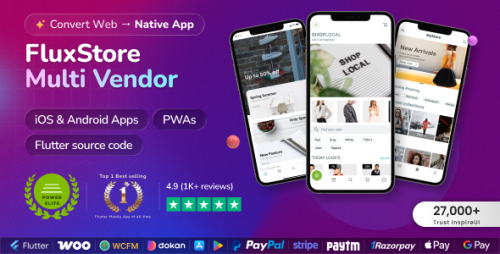
FluxStore is a universal e-commerce app inspired by the Flutter framework, made by Google. With the mission of reducing thousands of hours of business spent on designing, developing, and testing a mobile app, FluxStore comes as a complete solution for optimizing to deliver your app to the market with high productivity and cost-efficiency. It could be able to satisfy all of the business requirements, including e-commerce functionalities, impressive UX design, and smooth performance on both iOS and Android devices.
If your business has already had the website built based on the WooCommerce website, then it is easy to integrate with FluxStore in just a few steps, and quickly release the final app to both App Store and Google Play. The download package includes the full source code and many related resources (designs, documents, videos…) that help you install more smoothly.
Fluxstore WooCommerce - Flutter E-commerce Full App is a comprehensive mobile application template designed for online stores that use WooCommerce as their backend platform. Built with Flutter, a popular UI toolkit developed by Google, this app provides a ready-to-use, customizable solution for creating a mobile shopping experience for Android and iOS devices.
Features of Fluxstore WooCommerce App
Seamless integration with WooCommerce, enabling synchronization of products, categories, orders, and user data.
User-friendly interface with modern design elements.
Support for multiple payment gateways.
Features like product search, filters, reviews, and ratings.
Cart, checkout, and order tracking functionalities.
Support for push notifications and user account management.
Customization options to tailor the app to specific branding and functional needs.
- 0 Downloads
-
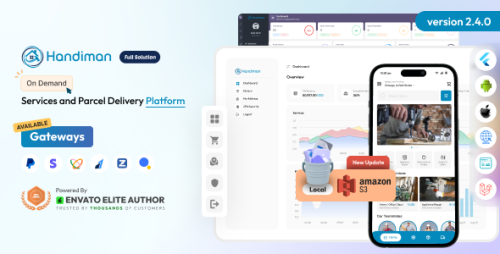
Introducing Handiman the all-in-one solution for on-demand services and parcel delivery. With our user-friendly website, mobile apps for Android and iOS, and powerful super admin panel, customers, vendors, and businesses can easily connect and fulfill their service needs. Whether it’s handyman services, parcel delivery, or shopping assistance, Handiman has you covered. Vendors can quickly create accounts and showcase their services, while customers can browse and order tasks with ease. Key features include handyman services, a multi-vendor platform, pickup and delivery service, flexible service scheduling, support for multiple languages, automatic and manual payment gateways, and efficient admin role management. Our commitment is crystal clear: to provide outstanding software solutions at a competitive price, enabling aspiring entrepreneurs to seize opportunities and thrive in the dynamic on-demand service industry. With Handiman, you can turn your on-demand service aspirations into reality, unlocking extraordinary achievements in the realm of the on-demand service business. Embrace the future of on-demand service with confidence and embark on your journey to success with Handiman by your side.
Handiman User Key Features
Search Service
Categories
Add to Cart
Personalized Address Saving
Service Order
Seamless Pickup Process
Effortless Delivery Ordering
Secure Registration
User Wallet
Automatic Payment Gateway
Manual Payment Gateway
Stripe Payment Gateway
Paypal Payment Gateway
Flutterwave Payment Gateway
Razorpay Payment Gateway
SSLCOMMERZ Payment Gateway
Email Verification
Multi Language
KYC Verification
User Profile
2FA Security
Email Notification (for web and apps)
Push Notification (for web)
Support Ticket (for web)
Live Chat using twak.to
Handiman Vendor Key Features
Service Management
Scheduling Flexibility
Service Order Management
Personalized Address Saving
Money Out
Secure Transaction
Secure Registration
Vendor Wallet
Email Verification
Multi Language
KYC Verification
User Profile
2FA Security
Email Notification (for web and apps)
Push Notification (for web)
Support Ticket (for web)
Live Chat using twak.to
Handiman Super Admin Key Features
Analytics Dashboard
Setup Currency
Fees & Charges
Category, State, City Management
Transaction Logs
User Care
Vendor Care
Admin Care
Basic Setting
Image Aseets
Setup SEO
Dynamic Splash & Onboard
Setup App URLs
Manage Multiple Language
SMTP Email
Setup KYC
Setup Web Content
Manage Extensions
Live Chat Using Twak.to
Setup Payment Gateway
Automatic Payment Gateway
Manual Payment Gateway
Push Notification
GDPR Cookie
Server Info
Clear Cache
- 0 Downloads
-
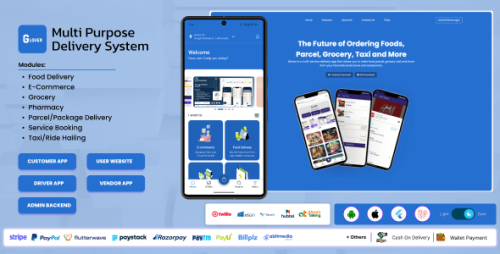
Glover is a complete, ready-to-launch solution for starting an on-demand delivery business. It's a full system that handles everything from a customer's order to the driver's doorstep, covering niches like groceries, food, pharmacies, and parcels .
It's a "multi-vendor" platform, meaning multiple stores can register, list their products, and manage their own sales, similar to how DoorDash or UberEats operates . The entire system is built on two modern frameworks: Flutter for the mobile apps (so they work on both iPhone and Android) and Laravel (a PHP framework) for the powerful backend control panel .
Glover Flutter App Features
Customer Flutter app Source Code – (Flutter Framework)
Driver Flutter app Source Code – (Flutter Framework)
Backend Source Code – (Laravel Framework)
Documentation
Quick Start Guide
E-Payment, credit cards integration. Stripe, Paypal, Flutterwave, Paystack, RazorPay, Billplz, Abitmedia Cloud, PayU, PayTm etc
Import data vis Excel Spreadsheet (Categories, Vendors, Menus & Products)
Cash on delivery and payment on pickup/delivery methods
Support RTL languages (Arabic etc.)
Dark Mode
Push notification using FCM (Firebase Cloud Messaging)
Clean & organized Dart Language code using Provider
Easy to restyle and theming.
Awesome animations: Parallax, Sliding, Swiping
Runs smoothly on iOS & Android (60fps)
Login, Register, Forgot password
Vendor/Product/Food search
Vendor/store Details
Products Listing, Product Details
Cart, Checkout
Wallet system, Driver wallet system
Referral system, Offline payment
Vendor open/close time, Auto-assignment
3wordsmap, Parcel ready on order placement
User Profile, Orders, Settings, Notifications
SMS Gateways: Twilio, MSG91, GatewayApi, Hubtel, ARKESEL
- 0 Downloads
-
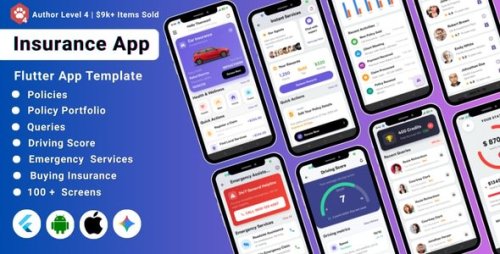
The AI-Powered Insurance Agency Flutter App Template is a ready-made, customizable mobile application designed to streamline and enhance the operations of an insurance agency using Flutter, Google's UI toolkit for building natively compiled applications for mobile, web, and desktop from a single codebase. This template focuses on integrating AI features to improve efficiency, user experience, and data management related to insurance services.
Key Features of the AI-Powered Insurance Agency Flutter App Template
Policy Management
Easy creation, viewing, and management of insurance policies.
Details include policy type, coverage, premium, duration, and renewal options.
AI-driven suggestions for policy customization based on user profiles.
Claims Processing
Users can file insurance claims directly through the app.
Upload documents, images, and evidence for claims.
Track claim status in real-time.
AI algorithms to automate claim verification and fraud detection.
AI Integration
Personalized policy recommendations based on user data and behavior.
Chatbots for customer support and FAQs.
Predictive analytics for risk assessment and policy pricing.
Automated document verification and claim processing.
User & Agent Dashboard
Separate interfaces for customers and insurance agents.
Agents can manage policies, claims, and customer inquiries.
Customers can view policies, submit claims, and receive notifications.
Policy Quotes & Premium Calculation
Instant quotes based on user inputs.
AI-powered risk analysis influencing premium prices.
Notifications & Alerts
Push notifications for policy renewals, claim updates, and important alerts.
Secure Authentication & User Management:
User registration, login, and profile management.
Multi-factor authentication for security.
Multi-Language & Multi-Currency Support:
Catering to a global user base.
Admin Panel (Optional or Integrated):
Manage policies, claims, users, and AI settings.
Responsive & User-Friendly UI
Designed with Flutter for smooth performance across Android and iOS devices.
- 0 Downloads
-
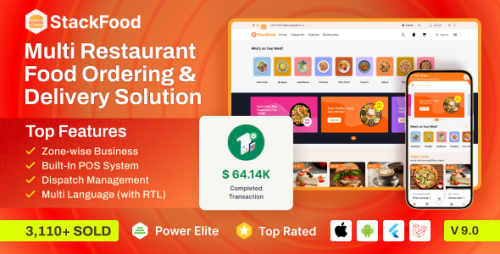
StackFood is a Multi restaurant meals supply system developed utilizing Laravel and Flutter frameworks. Utilizing StackFood, you may reinvent the best way of meals ordering and supply system with its very good admin panel. With StackFood’s readymade and extremely responsive cell apps, you’ll get a seamless person expertise for positive.
Now the query is, why do you have to go along with StackFood as a substitute of different meals supply programs out there out there? Effectively, there's a lot to speak about it. We simply want a couple of minutes of your beneficial time to provide this a learn.
Features of StackFood Mobile App
Accurate Zone-based Business
Set Your Business Up
Admin Commission Feature
Multi Restaurant Support
Multilingual Support
SMS OTP Integrated
Orders & Dispatch Management
Food Management
Order Scheduling
Deliveryman Management
Business Promotion
Customer Management
Direct Chat with Admin
Employee Management
Analyze Report and Statistics
100% Responsive & Feature-packed App (Android & iOS)
Built-in POS System
Integrated All the Popular Payment Gateways
Outstanding System Settings
Hassle-free Transaction Management
Dark Mode
Password Recovery System
Restaurant and Deliveryman Self-Registration
User Account Delete
Customer Cart
Wishlist
Ratings & Reviews
User Apps & Web App
- 0 Downloads
-
StackFood is a Multi restaurant meals supply system developed utilizing Laravel and Flutter frameworks. Utilizing StackFood, you may reinvent the best way of meals ordering and supply system with its very good admin panel. With StackFood’s readymade and extremely responsive cell apps, you’ll get a seamless person expertise for positive.
Now the query is, why do you have to go along with StackFood as a substitute of different meals supply programs out there out there? Effectively, there's a lot to speak about it. We simply want a couple of minutes of your beneficial time to provide this a learn.
Features of StackFood Mobile App
Accurate Zone-based Business
Set Your Business Up
Admin Commission Feature
Multi Restaurant Support
Multilingual Support
SMS OTP Integrated
Orders & Dispatch Management
Food Management
Order Scheduling
Deliveryman Management
Business Promotion
Customer Management
Direct Chat with Admin
Employee Management
Analyze Report and Statistics
100% Responsive & Feature-packed App (Android & iOS)
Built-in POS System
Integrated All the Popular Payment Gateways
Outstanding System Settings
Hassle-free Transaction Management
Dark Mode
Password Recovery System
Restaurant and Deliveryman Self-Registration
User Account Delete
Customer Cart
Wishlist
Ratings & Reviews
User Apps & Web App
- 0 Downloads
-
Fluxstore Multi Vendor - Flutter E-commerce Full App is a comprehensive mobile application template designed for building multi-vendor e-commerce platforms using Flutter, a popular UI toolkit by Google. This app enables entrepreneurs and developers to create feature-rich online marketplaces where multiple vendors can sell their products through a unified platform.
Fluxstore Multi Vendor App Features
Multi-Vendor Support : Allows multiple vendors to register, manage their products, and handle orders independently within the app.
Flutter-Based : Built entirely with Flutter, ensuring high performance, a native look and feel, and cross-platform compatibility for both iOS and Android.
Customizable Design : Comes with a modular and customizable UI/UX, making it easier to adapt to branding and specific business needs.
Integrated Payment Gateways : Supports various payment methods such as PayPal, Stripe, and others for seamless transactions.
User and Vendor Management : Provides features for user registration, login, profile management, and vendor dashboards.
Product Management : Vendors can add, edit, or delete products, manage inventory, and specify variations.
Order Management : Customers can place orders, and vendors can process and track them efficiently.
Push Notifications : Keeps users and vendors informed about order status, offers, and updates.
Multi-Language & RTL Support : Suitable for global markets with support for multiple languages and right-to-left layouts.
Backend Integration : Typically integrated with popular backend services like WooCommerce, Firebase, or custom APIs.
- 0 Downloads
-
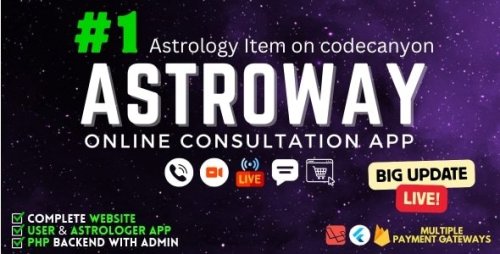
Astroway is a sophisticated astrology app template impressed by main platforms like AstroTalk and Guruji. It helps you launch your personal astrology enterprise effortlessly with Flutter Mobile Apps for each customers and astrologers, a highly effective Laravel backend, and a feature-rich admin panel.
Constructed for scalability and monetization, AstroWay integrates chat, audio/video calling, stay streaming, e-commerce, AI-based astrology options, and extra — multi functional highly effective resolution.
Astroway Flutter Mobile App Features
Twin Cell Apps (Flutter)
Separate apps for Customers and Astrologers/Counselors/Consultants.
Trendy, redesigned UI for each apps guaranteeing seamless expertise.
Highly effective Laravel Backend
Sturdy, scalable backend constructed with Laravel.
Optimized for efficiency with DigitalOcean storage.
Communication System
Audio & Video Calls powered by Agora, ZegoCloud, and 100ms.
Immediate Chat powered by Firebase.
OneSignal integration for push notifications.
E mail notifications for essential actions and updates.
Astrology Options
Kundli Technology (PDF) – Create and obtain detailed Kundli studies.
Matchmaking – Examine and match Kundlis immediately.
Horoscopes – Every day, weekly, month-to-month, and yearly zodiac forecasts.
AI Astrologer – Get immediate astrology insights powered by AI.
Person Kundli in Chat – Kundli routinely displayed throughout chat periods.
Reside Streaming & Interplay
Reside Streaming for astrologers to work together with customers in real-time.
Reside Schedule Administration – Schedule and handle stay periods simply.
Every day Story Add – Astrologers can publish each day movies or pictures.
Monetization & Earnings
AstroWay helps a number of incomes streams for app homeowners and astrologers:
Audio/Video Calls between customers and astrologers.
Chat Consultations.
Reside Streaming periods.
Kundli Technology (for customers & astrologers).
AstroShop product gross sales.
Reward sending by customers.
e-Puja Module (New).
On-line Astrology Programs (New).
AstroShop E-commerce Integration
Full-featured AstroMall to promote astrology-related merchandise and treatments.
Helps multi-currency and world cost gateways together with PayPal, Paytm, Razorpay, Stripe, Instamojo, Paystack, Iyzico, Mercado Pago, Flutterwave, PagSeguro, and extra.
Pockets & Coin Module
Customers can recharge wallets or buy digital cash for transactions.
Coin-based cost system for chat, calls, and stay periods.
Admin can outline minimal recharge limits and free chat advantages.
Astrologer Panel Options
Profile Boosting – Astrologers can promote their profiles for visibility.
Low cost Settings – Supply personalised reductions.
Intro Video Add – Showcase a brief profile video.
Verified Onboarding – Obligatory KYC/doc verification.
Assist Part – Devoted helpdesk for astrologers.
Efficiency Analytics – Monitor engagement, income, and rankings.
Multi-currency Assist for world viewers.
Person App Highlights
Trendy UI with straightforward navigation and intuitive format.
E book appointments with astrologers simply.
Pockets recharge and coin-based transactions.
Chat and name astrologers immediately.
Every day horoscope, Kundli, AI insights, and e-commerce procuring.
Multi-language and multi-currency assist.
Admin Panel Options
Superior Analytics and monitoring dashboard.
Fee Administration – Set world or particular person commissions.
Knowledge Monitoring – Monitor consumer, astrologer, and income stats.
Tax Studies – Generate TDS and GST studies in exportable codecs.
Connectivity Suppliers – Helps Agora, 100ms, and ZegoCloud.
Max Request Management – Restrict concurrent chat/name periods.
Forex Administration – Configure and handle a number of currencies.
Web site & Extra Modules
Profile boosting and stay schedule choices for astrologers.
Built-in coin system for clean transactions.
Redesigned, fashionable web site interface.
Detailed Kundli era and PDF sharing.
Improved notifications with OneSignal integration.
Astrologer each day story uploads and assist desk.
e-Puja Module for digital puja and rituals.
On-line Programs system for astrologers to share information.
- 0 Downloads
-
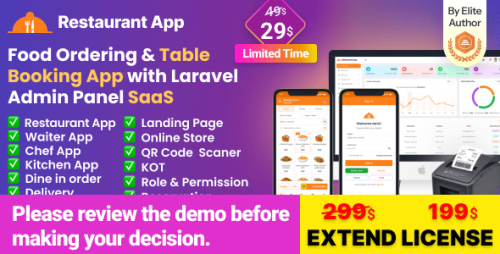
The Restaurant App – Online Food Ordering, Table Booking, Restaurant App with Laravel Admin Panel SaaS is a comprehensive software solution designed to help restaurants manage online orders, table reservations, and overall restaurant operations through a web and mobile application. Built with Laravel, a popular PHP framework, this SaaS (Software as a Service) platform provides a scalable, customizable, and easy-to-deploy system for restaurant businesses.
Features of the Restaurant App
Online Food Ordering
Customers can browse menus, customize dishes, and place orders directly through the app.
Supports multiple payment gateways for seamless transactions.
Table Booking & Reservations
Customers can reserve tables in advance.
Restaurants can manage bookings, availability, and reservation details easily.
Admin Panel (Laravel)
A powerful admin dashboard to manage menus, orders, reservations, customers, and staff.
Analytics and reporting tools for business insights.
Multi-Vendor / SaaS Capabilities
Designed for SaaS deployment, allowing multiple restaurant clients to use the platform under a single installation.
Admin can onboard and manage different restaurant profiles.
User Management
Separate dashboards and permissions for restaurant owners, staff, and customers.
Mobile-Friendly Design:
Responsive interface for use on smartphones and tablets.
Push notifications for order updates.
Loyalty programs and discounts.
Multi-language support.
Integration with third-party delivery services.
Enables restaurants to go digital and reach more customers.
Streamlines order and reservation management.
Provides a scalable SaaS solution for multiple restaurant clients.
Customizable according to specific restaurant needs.
- 0 Downloads
-
Yummer is a modern Next.js-based Progressive Web App (PWA) designed for single-restaurant food ordering. Built with a mobile-first approach and powered by server-side rendering (SSR), it delivers lightning-fast performance, improved SEO, and a smooth user experience across all devices. Yummer enables your customers to easily browse the menu, customize dishes, and place orders seamlessly on both mobile and desktop. The project also includes integration with Payload CMS for effortless content and menu management. It’s the perfect solution for restaurants looking to offer direct online ordering without relying on third-party platforms.
Yummer – Online Food Ordering App Features
Framework : Built with Next.js 15.4.4 and React 19.1.0
Language : TypeScript (.tsx format)
State Management : Zustand for global state management
Styling : All icons in SVG format, uses free Google Fonts
Native-like Experience : App-like experience directly in the browser without app store installation
Offline Access : Works without internet connection via service workers and caching
Home Screen Installation : Users can add to device home screen
Push Notifications : Supports push notifications for user engagement
Cross-Platform : Single solution works on desktop, tablet, and mobile
Payload CMS Integration : Fully integrated for effortless content and menu management
No-code Management : Manage dishes, offers, and content without coding
Mobile-first approach : Designed primarily for mobile devices
Server-side rendering (SSR) : For lightning-fast performance and improved SEO
Custom preloader : Included for better loading experience
Well-structured, reusable components : Clean, modular code structure
Menu browsing : Browse restaurant menu easily
Dish customization : Customize dishes according to preference
Seamless ordering : Place orders directly from mobile or desktop
Detailed documentation : Step-by-step setup and usage guide
SEO-optimized : Built with Next.js SEO capabilities
Ready for PWA deployment : Pre-configured for PWA deployment
- 0 Downloads
-
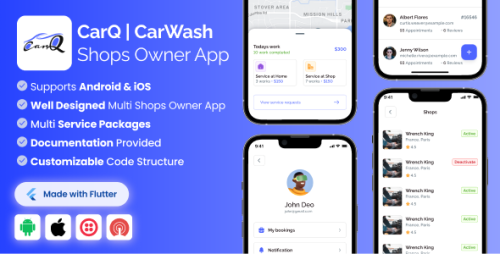
CarQ Flutter apps are designed to make it easy for Car wash Shop owners and individuals to host their business. These apps typically offer a range of features to help users manage their car wash appointments, including the ability to create and manage service package & payments. With all of the appointment details and customer information in one place, it’s easier to stay organized and keep track of everything. This can help ensure that your business runs smoothly and that your customers have a great service.
Shop Owner Flutter Mobile App Based on the official documentation, the Shop Owner App for the CarQ Car Wash Marketplace is a dedicated Flutter-based mobile application that allows car wash business owners to manage their operations, employees, and bookings from their phones .
Features of the Shop Owner Flutter Mobile App
Manage Multiple Shops : A single owner can manage several different businesses from one app.
Service & Package Management : Create individual service listings with custom names, prices, and details, or bundle services into packages .
Payment Status Tracking : Mark service bookings as paid or unpaid directly from the app to manage cash flow .
Staff Assignment : Owners can manage their employees and assign specific service requests to individual staff members .
Selection/Rejection Dialogues : The app includes features for shop owners to accept or reject service requests, with the ability to assign an employee to the job when accepting .
Admin Commission Model : The platform administrator can set a commission percentage on each shop owner's earnings .
Manual Payouts : The admin handles payouts manually, with no automatic threshold system currently built-in .
Multi-Language Support : Supports multiple languages, including Right-to-Left (RTL) layouts (Arabic is included by default) .
Push Notifications : Uses OneSignal to receive real-time notifications for new bookings or updates from customers .
Documentation : Comes with development documentation to assist with setup and customization.
- 0 Downloads

-BusinessorcompanymanagementsolutionwithPOSincludingwebpanel.thumb.png.c975fdd2bc694966a99f502e53cadbf5.png)
.thumb.jpg.3c89fc13b575aac5314143e30c2c250e.jpg)