






sundermarkam
Administrators
-
Joined
-
Last visited
-
 SpareCom is an ecommerce platform built for businesses that sell automotive spare parts and vehicle accessories. It is designed to support an online store or marketplace where customers can search for vehicle-related products, check compatibility, and place orders. The platform is described as multi-vendor, so it can also be used to let multiple sellers list and sell products through one storefront. A key focus is helping shoppers find the right part for their vehicle. SpareCom uses AI-assisted discovery to help match products with vehicle information, search intent, and part attributes. It also advertises AI-powered product chat and review analysis, intended to help customers get product guidance and help store operators understand customer feedback. These tools can support the shopping process, but buyers should still verify fitment and product specifications before ordering. SpareCom - User’s FeaturesAI Chat Product Comparison. Orders Management. Track Order. Reviews Management. Payment Log. Support Ticket Management. Profile Management. Total Orders. Processing Orders. Completed Orders. Recent Orders. Product Share Management. Wishlist Management. Product Filter Management. Multiple Languages Features. 30+ Online Payment Gateway. Social Login Facility. Email Notification System. SMS Notification Facilities. More Features… SpareCom - Admin FeaturesUsers Management. Product Management. Categories Management. Brands Management. Tax Management. Stock Unit Management. Shipping Management. Products Management. Top Selling Management. Reviews Management. Marketing Management. Coupons Management. Offers Management. Campaign Management. Order Management. Payments Management. Support Ticket Management. Report Management. Subscribers Management. System Setting. General Setting. Logo and Favicon Management. System Configuration. Notification Setting. Payment Gateways Management. SEO Configuration. Manage Frontend. Manage Pages. Social Login Setting. Language Management. Extensions Management. Policy Pages Management. Maintenance Mode Management. GDPR Cookie Management. Custom CSS Management. Sitemap Management. And More…
-
SpareCom - AI Driven Auto Parts And Vehicle Accessories Ecommerce Platform SpareCom is an ecommerce platform built for businesses that sell automotive spare parts and vehicle accessories. It is designed to support an online store or marketplace where customers can search for vehicle-related products, check compatibility, and place orders. The platform is described as multi-vendor, so it can also be used to let multiple sellers list and sell products through one storefront. A key focus is helping shoppers find the right part for their vehicle. SpareCom uses AI-assisted discovery to help match products with vehicle information, search intent, and part attributes. It also advertises AI-powered product chat and review analysis, intended to help customers get product guidance and help store operators understand customer feedback. These tools can support the shopping process, but buyers should still verify fitment and product specifications before ordering. SpareCom - User’s FeaturesAI Chat Product Comparison. Orders Management. Track Order. Reviews Management. Payment Log. Support Ticket Management. Profile Management. Total Orders. Processing Orders. Completed Orders. Recent Orders. Product Share Management. Wishlist Management. Product Filter Management. Multiple Languages Features. 30+ Online Payment Gateway. Social Login Facility. Email Notification System. SMS Notification Facilities. More Features… SpareCom - Admin FeaturesUsers Management. Product Management. Categories Management. Brands Management. Tax Management. Stock Unit Management. Shipping Management. Products Management. Top Selling Management. Reviews Management. Marketing Management. Coupons Management. Offers Management. Campaign Management. Order Management. Payments Management. Support Ticket Management. Report Management. Subscribers Management. System Setting. General Setting. Logo and Favicon Management. System Configuration. Notification Setting. Payment Gateways Management. SEO Configuration. Manage Frontend. Manage Pages. Social Login Setting. Language Management. Extensions Management. Policy Pages Management. Maintenance Mode Management. GDPR Cookie Management. Custom CSS Management. Sitemap Management. And More… File Information Submitter sundermarkam Submitted 10/16/2026 Category PHP SCRIPTS DEMO URL https://codecanyon.net/item/sparecom-ai-driven-auto-parts-and-vehicle-accessories-ecommerce-platform/63701017 View File
-
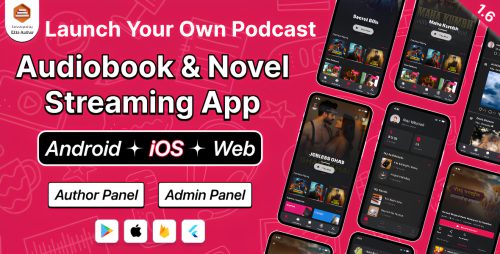 DTPocketFM is a ready-made, customizable digital content platform for businesses, publishers, creators, and entrepreneurs who want to build an app for audio, reading, and community engagement. It brings podcasts, audiobooks, novels, and text-based threads together in one branded experience, so users can discover and enjoy different types of content without switching between separate apps. The app is built with Flutter, making it suitable for Android, iOS, and web deployment. It also includes a Laravel-based admin panel for managing the platform’s content and operations. Administrators can organize and publish content, manage users, configure app settings, and oversee monetization, depending on the package version and setup. Content for listening and reading DTPocketFM is designed to support a broad content library. Users can browse podcasts and audiobooks, listen to audio, and explore novels or other written material. The threads feature adds a text-based format for posts and discussions, giving creators another way to share ideas and audiences a way to engage with content. DTPocketFM Feature ListFlutter-based cross-platform app Android support iOS support Web support User registration and login User profile management Browse podcasts Browse audiobooks Browse novels Browse text threads Content categories Search and content discovery Featured and recommended content Audio streaming Background audio playback Playback controls Resume listening Listening progress tracking Bookmark or favorite content Reading progress tracking Premium content access Subscription options Coin or wallet system In-app content purchases AdMob advertising integration Creator content submission or publishing options Thread posting and reading Content details and descriptions Responsive web interface Admin Panel and Platform Laravel-based admin panel Dashboard for platform management User management Podcast management Audiobook management Novel and written-content management Thread management Category management Featured-content management Subscription and premium-content management Coin or wallet management Advertising configuration App settings management Content moderation tools Revenue and activity oversight Branding and platform customization
-
DTPocketFM – Flutter Podcast, Audiobook, Novel & Threads App DTPocketFM is a ready-made, customizable digital content platform for businesses, publishers, creators, and entrepreneurs who want to build an app for audio, reading, and community engagement. It brings podcasts, audiobooks, novels, and text-based threads together in one branded experience, so users can discover and enjoy different types of content without switching between separate apps. The app is built with Flutter, making it suitable for Android, iOS, and web deployment. It also includes a Laravel-based admin panel for managing the platform’s content and operations. Administrators can organize and publish content, manage users, configure app settings, and oversee monetization, depending on the package version and setup. Content for listening and reading DTPocketFM is designed to support a broad content library. Users can browse podcasts and audiobooks, listen to audio, and explore novels or other written material. The threads feature adds a text-based format for posts and discussions, giving creators another way to share ideas and audiences a way to engage with content. DTPocketFM Feature ListFlutter-based cross-platform app Android support iOS support Web support User registration and login User profile management Browse podcasts Browse audiobooks Browse novels Browse text threads Content categories Search and content discovery Featured and recommended content Audio streaming Background audio playback Playback controls Resume listening Listening progress tracking Bookmark or favorite content Reading progress tracking Premium content access Subscription options Coin or wallet system In-app content purchases AdMob advertising integration Creator content submission or publishing options Thread posting and reading Content details and descriptions Responsive web interface Admin Panel and Platform Laravel-based admin panel Dashboard for platform management User management Podcast management Audiobook management Novel and written-content management Thread management Category management Featured-content management Subscription and premium-content management Coin or wallet management Advertising configuration App settings management Content moderation tools Revenue and activity oversight Branding and platform customization File Information Submitter sundermarkam Submitted 10/15/2026 Category MOBILE DEMO URL https://codecanyon.net/item/dtpocketfm-music-streaming-podcast-audio-books-stories-flutter-app-android-ios-admin-pane/46192149 View File
-
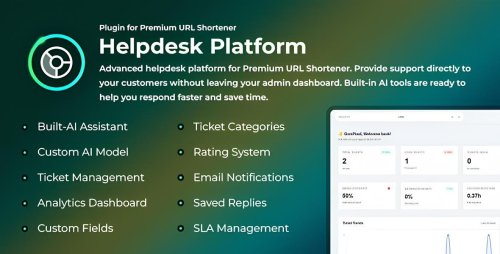 Helpdesk Platform - Plugin for Premium URL Shortener is an add-on that connects a helpdesk or customer-support system to the Premium URL Shortener script. It is intended to let users get support—such as submitting questions or reporting issues—through a helpdesk interface associated with the URL-shortening service. The exact features depend on the plugin and version. It may provide a support link or ticketing integration, but it is not necessarily a complete helpdesk on its own. Check the plugin’s documentation or product page for supported helpdesk software, setup requirements, and included features. The Helpdesk Platform plugin for Premium URL Shortener is designed to bring customer-support functionality closer to your URL-shortening platform. It can help website owners provide users with a clear place to ask questions, report problems, and request assistance related to their accounts, links, payments, or other services. When integrated with a compatible helpdesk system, the plugin can make it easier for customers to reach support without searching for contact details elsewhere. It may support a helpdesk link, ticket-submission workflow, or other connection between Premium URL Shortener and the support platform. This can help organize customer requests and make it easier for administrators or support teams to respond. The plugin is intended for businesses and site administrators who want to improve the support experience for users of Premium URL Shortener. Before installing it, check the product documentation to confirm which helpdesk platforms are supported, whether a separate helpdesk account or license is required, and what configuration is needed. Features can vary by plugin version and setup. Helpdesk Platform - Plugin FeaturesHelpdesk integration Easy support access Centralized assistance Ticket management User issue reporting Account support Link support Payment inquiries Organized requests Faster issue routing Simple setup User-friendly workflow Admin support tools Customer communication Support link access Technical issue reporting Service inquiry handling Clear contact options Improved user experience Streamlined support process Customer request tracking Website support access Platform issue assistance Support workflow management Better request organization Convenient help access Business-ready support Customer service enhancement Compatible helpdesk connection Support team coordination Reduced support confusion Account issue assistance User feedback channel Central support location Easy customer contact Premium URL Shortener integration Configurable support setup Organized customer service
-
Helpdesk Platform - Plugin for Premium URL Shortener Helpdesk Platform - Plugin for Premium URL Shortener is an add-on that connects a helpdesk or customer-support system to the Premium URL Shortener script. It is intended to let users get support—such as submitting questions or reporting issues—through a helpdesk interface associated with the URL-shortening service. The exact features depend on the plugin and version. It may provide a support link or ticketing integration, but it is not necessarily a complete helpdesk on its own. Check the plugin’s documentation or product page for supported helpdesk software, setup requirements, and included features. The Helpdesk Platform plugin for Premium URL Shortener is designed to bring customer-support functionality closer to your URL-shortening platform. It can help website owners provide users with a clear place to ask questions, report problems, and request assistance related to their accounts, links, payments, or other services. When integrated with a compatible helpdesk system, the plugin can make it easier for customers to reach support without searching for contact details elsewhere. It may support a helpdesk link, ticket-submission workflow, or other connection between Premium URL Shortener and the support platform. This can help organize customer requests and make it easier for administrators or support teams to respond. The plugin is intended for businesses and site administrators who want to improve the support experience for users of Premium URL Shortener. Before installing it, check the product documentation to confirm which helpdesk platforms are supported, whether a separate helpdesk account or license is required, and what configuration is needed. Features can vary by plugin version and setup. Helpdesk Platform - Plugin FeaturesHelpdesk integration Easy support access Centralized assistance Ticket management User issue reporting Account support Link support Payment inquiries Organized requests Faster issue routing Simple setup User-friendly workflow Admin support tools Customer communication Support link access Technical issue reporting Service inquiry handling Clear contact options Improved user experience Streamlined support process Customer request tracking Website support access Platform issue assistance Support workflow management Better request organization Convenient help access Business-ready support Customer service enhancement Compatible helpdesk connection Support team coordination Reduced support confusion Account issue assistance User feedback channel Central support location Easy customer contact Premium URL Shortener integration Configurable support setup Organized customer service File Information Submitter sundermarkam Submitted 10/15/2026 Category PHP SCRIPTS DEMO URL https://codecanyon.net/item/helpdesk-platform-plugin-for-premium-url-shortener/60866882 View File
-
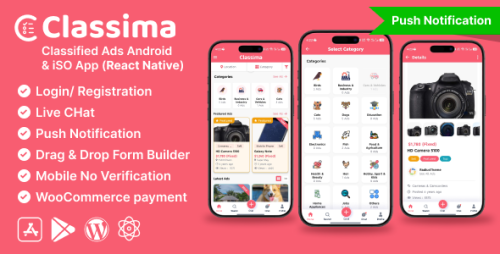 Classima – Classified Ads Android & iOS App is a mobile application designed to help businesses create a classifieds marketplace for buying and selling goods and services. It works with a compatible WordPress website using the Classima theme and Classified Listing plugin, allowing the mobile app and website to share marketplace content. Users can browse listings by category, search for items, and view ad details, photos, seller information, and related listings. Location-based search can help users find ads nearby. They can save listings to favorites and contact sellers through available options such as chat, email, or phone. Classima is a mobile app template for launching a classified-ads marketplace on Android and iOS. It connects to a website powered by the Classima/WordPress Classified Listing setup, so users can browse, search, and post ads for things like vehicles, electronics, and property. Features include seller contact options, favorites, location-based search, chat, user profiles, payments, ratings, multilingual support, and push notifications. It’s a product for marketplace operators—not a single universal classifieds service. For sellers, the app supports creating and managing listings, maintaining a profile, and interacting with potential buyers. Marketplace operators can configure features such as memberships, payments, ratings and reviews, social login, multilingual and right-to-left language support, and push notifications. Some options depend on the connected website, payment setup, and app configuration. In short, Classima is a customizable mobile front end for a WordPress-based classifieds marketplace. It is intended for businesses that want to offer their own branded buying-and-selling platform, rather than a standalone marketplace with listings shared across all Classima users. Classima - Classified Ads Android App FeaturesAndroid app support iOS app support WordPress website integration Classima theme compatibility Classified Listing plugin integration User registration User login Social login User profile management Create and post ads Edit and manage ads Browse ads by category Search listings Location-based search Search by distance or radius Map-based listing support Grid-style listing views Detailed ad pages Listing photos Related ads Save ads to favorites Contact sellers by phone Contact sellers by email In-app chat options Report a listing Ratings and reviews Membership plans Paid listing options Payment gateway support WooCommerce integration Offline payment options PayPal support Authorize.Net support Razorpay support Push notifications Mobile number verification options Firebase integration options Twilio integration options Multilingual support Right-to-left (RTL) language support
-
Classima - Classified ads Android & iOS App Classima – Classified Ads Android & iOS App is a mobile application designed to help businesses create a classifieds marketplace for buying and selling goods and services. It works with a compatible WordPress website using the Classima theme and Classified Listing plugin, allowing the mobile app and website to share marketplace content. Users can browse listings by category, search for items, and view ad details, photos, seller information, and related listings. Location-based search can help users find ads nearby. They can save listings to favorites and contact sellers through available options such as chat, email, or phone. Classima is a mobile app template for launching a classified-ads marketplace on Android and iOS. It connects to a website powered by the Classima/WordPress Classified Listing setup, so users can browse, search, and post ads for things like vehicles, electronics, and property. Features include seller contact options, favorites, location-based search, chat, user profiles, payments, ratings, multilingual support, and push notifications. It’s a product for marketplace operators—not a single universal classifieds service. For sellers, the app supports creating and managing listings, maintaining a profile, and interacting with potential buyers. Marketplace operators can configure features such as memberships, payments, ratings and reviews, social login, multilingual and right-to-left language support, and push notifications. Some options depend on the connected website, payment setup, and app configuration. In short, Classima is a customizable mobile front end for a WordPress-based classifieds marketplace. It is intended for businesses that want to offer their own branded buying-and-selling platform, rather than a standalone marketplace with listings shared across all Classima users. Classima - Classified Ads Android App FeaturesAndroid app support iOS app support WordPress website integration Classima theme compatibility Classified Listing plugin integration User registration User login Social login User profile management Create and post ads Edit and manage ads Browse ads by category Search listings Location-based search Search by distance or radius Map-based listing support Grid-style listing views Detailed ad pages Listing photos Related ads Save ads to favorites Contact sellers by phone Contact sellers by email In-app chat options Report a listing Ratings and reviews Membership plans Paid listing options Payment gateway support WooCommerce integration Offline payment options PayPal support Authorize.Net support Razorpay support Push notifications Mobile number verification options Firebase integration options Twilio integration options Multilingual support Right-to-left (RTL) language support File Information Submitter sundermarkam Submitted 10/15/2026 Category MOBILE DEMO URL https://codecanyon.net/item/classima-classified-ads-android-app/30904046 View File
-
 OLance is a global freelancing marketplace platform that connects businesses with independent professionals, freelancers, and agencies across diverse industries. Companies can post job listings for tasks such as writing, programming, design, and marketing, while freelancers can create profiles, showcase their skills, and bid on projects. The platform supports contract-based fixed-price work and includes built-in tools for communication, project management, withdrawals, and payment processing to ensure smooth collaboration between clients and freelancers. Developed to meet the growing demand for remote and flexible work, oLance provides a wide range of job categories and enables businesses to access skilled professionals worldwide. Built for the next generation, it is a smart, cross-browser optimized platform offered at a one-time, affordable lifetime price; with no monthly fees, hidden charges, or encryption restrictions. Olance - Freelancer FeaturesBids Management. Projects Management. Withdraw Management. Transactions Management. Support Ticket Desk. Internal Chatting System. Profile Settings. Profile Completion System. Easy To BID On Freelance Job. Profile Verifications System. Freelancer Verification System. Email Verification System. Phone Verification System. Complete Job List. Project Reviews And Ratings. Social Media Login Included. Email Notifications. SMS Notifications. Multiple Language Facilities. Job Success Score. Overall Profile Rating. Special Freelancing Badge. Blogs, 2FA Security And More… Olance - Buyer FeaturesJobs Management. Job List Management. Job Creation. All Bids Management. Projects Management. Deposit Management. Withdraw Management. Transactions Management. Support Ticket Desk. Chatting System Included. Profile Settings. Profile Verifications System. Comes With Buyer Verification System. Email Verification System Included. Phone Verification System. Job Success Ratio. Complete Job List. Project Reviews And Ratings. Find a Talent Facilities. Hiring Invitation System. Social Media Login Included. Email Notifications. SMS Notifications. Multiple Language Facilities. Blogs, 2FA Security And More… Olance - Admin FeaturesManage Categories. Manage Jobs. All Bids Management. Manage Projects. Freelancers Account Management. Buyers Account Management. Deposits Management. Withdrawals Management. Support Ticket HelpDesk. Reports Management. Subscribers Management. System Setting. General Setting. Logo and Favicon Management. System Configuration. Notification Setting. Payment Gateways Management. Pusher Configuration Management. Charge Configuration Management. Badge Configuration Management. Withdrawals Methods Management. SEO Configuration. Manage Frontend. Manage Pages. Freelancer KYC Setting. Buyer KYC Setting. Freelancer Social Login Setting. Buyer Social Login Setting. Language Management. Extensions Management. Policy Pages Management. Maintenance Mode Management. GDPR Cookie Management. Custom CSS Management. Sitemap XML Management. Robots txt Management. And More…
-
Olance - Global Freelancing Marketplace OLance is a global freelancing marketplace platform that connects businesses with independent professionals, freelancers, and agencies across diverse industries. Companies can post job listings for tasks such as writing, programming, design, and marketing, while freelancers can create profiles, showcase their skills, and bid on projects. The platform supports contract-based fixed-price work and includes built-in tools for communication, project management, withdrawals, and payment processing to ensure smooth collaboration between clients and freelancers. Developed to meet the growing demand for remote and flexible work, oLance provides a wide range of job categories and enables businesses to access skilled professionals worldwide. Built for the next generation, it is a smart, cross-browser optimized platform offered at a one-time, affordable lifetime price; with no monthly fees, hidden charges, or encryption restrictions. Olance - Freelancer FeaturesBids Management. Projects Management. Withdraw Management. Transactions Management. Support Ticket Desk. Internal Chatting System. Profile Settings. Profile Completion System. Easy To BID On Freelance Job. Profile Verifications System. Freelancer Verification System. Email Verification System. Phone Verification System. Complete Job List. Project Reviews And Ratings. Social Media Login Included. Email Notifications. SMS Notifications. Multiple Language Facilities. Job Success Score. Overall Profile Rating. Special Freelancing Badge. Blogs, 2FA Security And More… Olance - Buyer FeaturesJobs Management. Job List Management. Job Creation. All Bids Management. Projects Management. Deposit Management. Withdraw Management. Transactions Management. Support Ticket Desk. Chatting System Included. Profile Settings. Profile Verifications System. Comes With Buyer Verification System. Email Verification System Included. Phone Verification System. Job Success Ratio. Complete Job List. Project Reviews And Ratings. Find a Talent Facilities. Hiring Invitation System. Social Media Login Included. Email Notifications. SMS Notifications. Multiple Language Facilities. Blogs, 2FA Security And More… Olance - Admin FeaturesManage Categories. Manage Jobs. All Bids Management. Manage Projects. Freelancers Account Management. Buyers Account Management. Deposits Management. Withdrawals Management. Support Ticket HelpDesk. Reports Management. Subscribers Management. System Setting. General Setting. Logo and Favicon Management. System Configuration. Notification Setting. Payment Gateways Management. Pusher Configuration Management. Charge Configuration Management. Badge Configuration Management. Withdrawals Methods Management. SEO Configuration. Manage Frontend. Manage Pages. Freelancer KYC Setting. Buyer KYC Setting. Freelancer Social Login Setting. Buyer Social Login Setting. Language Management. Extensions Management. Policy Pages Management. Maintenance Mode Management. GDPR Cookie Management. Custom CSS Management. Sitemap XML Management. Robots txt Management. And More… File Information Submitter sundermarkam Submitted 10/13/2026 Category PHP SCRIPTS DEMO URL https://codecanyon.net/item/olance-global-freelancing-marketplace/57574863 View File
-
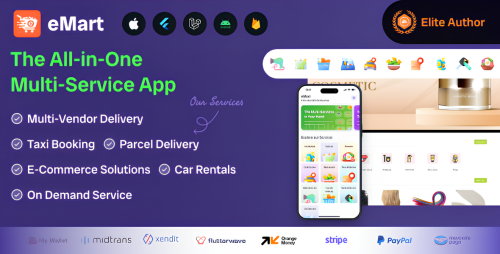 eMart is a multi-service digital marketplace that brings customers, local businesses, service providers, drivers, and delivery partners together through one platform. Instead of building separate apps for food delivery, online shopping, parcel delivery, ride-hailing, and car rental, businesses can use eMart as a central solution for offering multiple services through customer apps and a web interface, supported by management tools for vendors, providers, drivers, and administrators. Customers can use eMart to discover nearby restaurants and shops, browse products and services, place orders, request deliveries, book rides, and reserve rental vehicles. They can manage their profiles and addresses, review order or booking details, receive status notifications, and—where enabled—track deliveries or trips. Search and category browsing help customers find relevant options, while ratings and reviews can help them make informed choices. For food ordering, restaurants can display menus, prices, item options, and availability. Customers can select meals, customize items where supported, choose delivery or pickup when available, and follow order updates. For eCommerce, multiple vendors can manage their own storefronts and product catalogs, including descriptions, images, prices, and stock availability. This gives customers a convenient way to shop from participating businesses through one marketplace. The platform can also support on-demand services, where customers browse service categories, review provider information, and submit booking requests. Parcel delivery features let users enter pickup and destination details and follow delivery progress. Taxi booking connects customers with drivers for requested trips, while the car rental section lets users explore available vehicles and submit reservations based on dates, pricing, and rental terms. Vendors and service providers can use their management tools to maintain listings, update prices and availability, receive orders or booking requests, and monitor their activity. Drivers and delivery partners can receive assignments and update trip or delivery statuses. The exact tools available to each role depend on the product version and configuration. eMart - All in One Multi-Service App FeaturesCustomer App and Website Customer registration and login Social login options Profile and contact-detail management Multiple saved delivery addresses Location detection and map-based address selection Browse services by category Search, filters, and sorting Nearby restaurant and store discovery Product and service detail pages Favorites and wish lists Shopping cart and checkout Promo codes and discounts Multiple payment options Cash-on-delivery support, where enabled Order and booking history Live order, parcel, or ride tracking Push notifications and status updates Ratings and reviews Customer support or help requests Cancellation and refund-request workflows Food Ordering Restaurant listings and menus Food item options and add-ons Scheduled food orders Restaurant opening hours and availability Delivery or pickup options Food order status updates eCommerce Marketplace Multiple vendor storefronts Product catalogs with images and descriptions Product categories and variants Inventory and stock availability Vendor-specific carts or order handling Product ratings and reviews On-Demand Services Service-provider profiles Service categories and descriptions Provider availability and scheduling Service booking requests Booking status and history Parcel Delivery Pickup and destination details Parcel size or delivery information Delivery assignment and status updates Parcel tracking Taxi Booking Pickup and drop-off selection Ride request and driver assignment Driver and vehicle details Trip status and tracking Fare display or estimate, where supported Ride history and ratings Car Rental Vehicle listings and details Rental availability and booking dates Rental booking management Rental terms and pricing information Vendor, Provider, and Driver Tools Vendor registration and profile management Product, menu, and service management Order and booking management Price, availability, and schedule controls Driver or delivery assignment tools Earnings and transaction summaries Notifications for new orders or requests
-
eMart - Multivendor Food, On-demand, eCommerce, Parcel, Taxi Booking, Car Rent App with Admin & Web eMart is a multi-service digital marketplace that brings customers, local businesses, service providers, drivers, and delivery partners together through one platform. Instead of building separate apps for food delivery, online shopping, parcel delivery, ride-hailing, and car rental, businesses can use eMart as a central solution for offering multiple services through customer apps and a web interface, supported by management tools for vendors, providers, drivers, and administrators. Customers can use eMart to discover nearby restaurants and shops, browse products and services, place orders, request deliveries, book rides, and reserve rental vehicles. They can manage their profiles and addresses, review order or booking details, receive status notifications, and—where enabled—track deliveries or trips. Search and category browsing help customers find relevant options, while ratings and reviews can help them make informed choices. For food ordering, restaurants can display menus, prices, item options, and availability. Customers can select meals, customize items where supported, choose delivery or pickup when available, and follow order updates. For eCommerce, multiple vendors can manage their own storefronts and product catalogs, including descriptions, images, prices, and stock availability. This gives customers a convenient way to shop from participating businesses through one marketplace. The platform can also support on-demand services, where customers browse service categories, review provider information, and submit booking requests. Parcel delivery features let users enter pickup and destination details and follow delivery progress. Taxi booking connects customers with drivers for requested trips, while the car rental section lets users explore available vehicles and submit reservations based on dates, pricing, and rental terms. Vendors and service providers can use their management tools to maintain listings, update prices and availability, receive orders or booking requests, and monitor their activity. Drivers and delivery partners can receive assignments and update trip or delivery statuses. The exact tools available to each role depend on the product version and configuration. eMart - All in One Multi-Service App FeaturesCustomer App and Website Customer registration and login Social login options Profile and contact-detail management Multiple saved delivery addresses Location detection and map-based address selection Browse services by category Search, filters, and sorting Nearby restaurant and store discovery Product and service detail pages Favorites and wish lists Shopping cart and checkout Promo codes and discounts Multiple payment options Cash-on-delivery support, where enabled Order and booking history Live order, parcel, or ride tracking Push notifications and status updates Ratings and reviews Customer support or help requests Cancellation and refund-request workflows Food Ordering Restaurant listings and menus Food item options and add-ons Scheduled food orders Restaurant opening hours and availability Delivery or pickup options Food order status updates eCommerce Marketplace Multiple vendor storefronts Product catalogs with images and descriptions Product categories and variants Inventory and stock availability Vendor-specific carts or order handling Product ratings and reviews On-Demand Services Service-provider profiles Service categories and descriptions Provider availability and scheduling Service booking requests Booking status and history Parcel Delivery Pickup and destination details Parcel size or delivery information Delivery assignment and status updates Parcel tracking Taxi Booking Pickup and drop-off selection Ride request and driver assignment Driver and vehicle details Trip status and tracking Fare display or estimate, where supported Ride history and ratings Car Rental Vehicle listings and details Rental availability and booking dates Rental booking management Rental terms and pricing information Vendor, Provider, and Driver Tools Vendor registration and profile management Product, menu, and service management Order and booking management Price, availability, and schedule controls Driver or delivery assignment tools Earnings and transaction summaries Notifications for new orders or requests File Information Submitter sundermarkam Submitted 10/13/2026 Category MOBILE DEMO URL https://codecanyon.net/item/emart-multiservicemultipurpose-food-grocery-pharmacy-flower-delivery-flutter-app/39167498 View File
-
 VibeMatch – Flutter Random Video Chat App and Matchmaking Platform is a mobile application concept for helping people meet and talk with new people through live video chat. Built with Flutter, it can be designed to run on both Android and iOS from a shared codebase. Users create a profile, set preferences, and get paired with potential conversation partners. They can start a video chat, choose to continue talking, or move on to another match. A matchmaking system may use details such as interests, language, location, and user-selected preferences to make introductions feel more relevant than completely random pairing. VibeMatch is a social discovery and communication app concept designed to help people meet and talk with new people through live video conversations. Built with Flutter, the app can provide a consistent experience across Android and iOS while allowing users to connect from wherever they are. The app combines the spontaneity of random video chat with preference-based matchmaking. Users can create a profile, share their interests, choose available matching preferences, and start looking for someone to talk to. VibeMatch can then introduce them to an available user, with matching options based on factors such as shared interests, language, or other preferences supported by the platform. If the conversation is not a good fit, either person can end it and move on to another match. Discover new connections VibeMatch is designed to make meeting someone new simple. Instead of searching through profiles for a long time, users can begin matching and be introduced to potential conversation partners. Profiles can include a display name, profile photo, short bio, and selected interests, giving each person a little context before or during a conversation. Matching preferences can help make introductions feel more relevant. Depending on the app’s configuration, users may be able to select interests, preferred languages, or other criteria. These preferences guide the matchmaking experience but do not guarantee a particular type of match. VibeMatch Flutter Mobile App FeaturesAccounts and profiles Email and phone-number registration Sign-in with Google or Apple Profile photo and display name Short bio and personal interests Language selection Optional location or region settings Profile visibility controls Edit profile and account details Account deletion and data-request options Matchmaking and discovery One-tap random matching Interest-based matchmaking Language-based matching Match preference settings Match queue and estimated wait indicator Skip and find another match Reconnect with a recent match, if both users agree Optional matching by region or time zone Mutual-interest indicators Match history controls Video and messaging One-to-one live video chat Microphone mute and unmute Camera on and off Front- and rear-camera switching Speaker and audio controls Connection-quality indicator In-call text chat Emoji reactions Send a conversation prompt End-call confirmation Reconnect after a temporary network interruption Social features Add a user as a favorite, subject to consent Send a connection request Accept or decline connection requests Private text chat after mutual approval Share common interests during a conversation Optional conversation icebreakers User availability status Push notifications for connection requests Safety and moderation Report a user Block a user Leave a chat immediately Community guidelines and safety reminders Age-appropriate access controls Automated or human moderation tools Report-review and enforcement workflow Spam and abusive-behavior detection Privacy controls for profile and location information Settings and accessibility Notification preferences Data and privacy settings Dark and light themes Adjustable text size Screen-reader support Translation-ready interface Low-bandwidth mode Camera and microphone permission guidance Administration and platform operations Admin dashboard for user and report management Matchmaking and availability monitoring Moderation audit logs Analytics for app performance and engagement Feature flags and configuration controls
-
VibeMatch - Flutter Random Video Chat App and Matchmaking Platform VibeMatch – Flutter Random Video Chat App and Matchmaking Platform is a mobile application concept for helping people meet and talk with new people through live video chat. Built with Flutter, it can be designed to run on both Android and iOS from a shared codebase. Users create a profile, set preferences, and get paired with potential conversation partners. They can start a video chat, choose to continue talking, or move on to another match. A matchmaking system may use details such as interests, language, location, and user-selected preferences to make introductions feel more relevant than completely random pairing. VibeMatch is a social discovery and communication app concept designed to help people meet and talk with new people through live video conversations. Built with Flutter, the app can provide a consistent experience across Android and iOS while allowing users to connect from wherever they are. The app combines the spontaneity of random video chat with preference-based matchmaking. Users can create a profile, share their interests, choose available matching preferences, and start looking for someone to talk to. VibeMatch can then introduce them to an available user, with matching options based on factors such as shared interests, language, or other preferences supported by the platform. If the conversation is not a good fit, either person can end it and move on to another match. Discover new connections VibeMatch is designed to make meeting someone new simple. Instead of searching through profiles for a long time, users can begin matching and be introduced to potential conversation partners. Profiles can include a display name, profile photo, short bio, and selected interests, giving each person a little context before or during a conversation. Matching preferences can help make introductions feel more relevant. Depending on the app’s configuration, users may be able to select interests, preferred languages, or other criteria. These preferences guide the matchmaking experience but do not guarantee a particular type of match. VibeMatch Flutter Mobile App FeaturesAccounts and profiles Email and phone-number registration Sign-in with Google or Apple Profile photo and display name Short bio and personal interests Language selection Optional location or region settings Profile visibility controls Edit profile and account details Account deletion and data-request options Matchmaking and discovery One-tap random matching Interest-based matchmaking Language-based matching Match preference settings Match queue and estimated wait indicator Skip and find another match Reconnect with a recent match, if both users agree Optional matching by region or time zone Mutual-interest indicators Match history controls Video and messaging One-to-one live video chat Microphone mute and unmute Camera on and off Front- and rear-camera switching Speaker and audio controls Connection-quality indicator In-call text chat Emoji reactions Send a conversation prompt End-call confirmation Reconnect after a temporary network interruption Social features Add a user as a favorite, subject to consent Send a connection request Accept or decline connection requests Private text chat after mutual approval Share common interests during a conversation Optional conversation icebreakers User availability status Push notifications for connection requests Safety and moderation Report a user Block a user Leave a chat immediately Community guidelines and safety reminders Age-appropriate access controls Automated or human moderation tools Report-review and enforcement workflow Spam and abusive-behavior detection Privacy controls for profile and location information Settings and accessibility Notification preferences Data and privacy settings Dark and light themes Adjustable text size Screen-reader support Translation-ready interface Low-bandwidth mode Camera and microphone permission guidance Administration and platform operations Admin dashboard for user and report management Matchmaking and availability monitoring Moderation audit logs Analytics for app performance and engagement Feature flags and configuration controls File Information Submitter sundermarkam Submitted 10/09/2026 Category MOBILE DEMO URL https://codecanyon.net/item/vibematch-flutter-random-video-chat-app-and-matchmaking-platform/65003274 View File
-
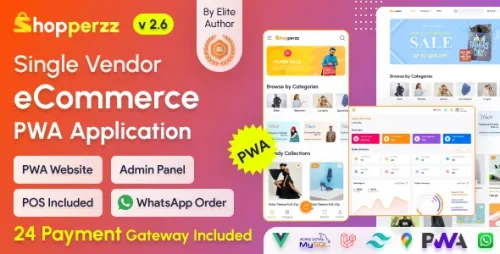 Shopperzz – PWA eCommerce CMS with POS & WhatsApp Ordering is a platform for building and managing an online store, with tools that connect digital sales to in-person and chat-based ordering. Its progressive web app (PWA) storefront is designed to work across devices through a web browser, without requiring customers to install a traditional app. The content management system (CMS) lets a business manage products, categories, pricing, and other store information. A built-in point-of-sale (POS) feature supports in-store transactions, while WhatsApp ordering gives customers another way to browse or place orders through messaging. Together, these features aim to help businesses manage products and orders across online, physical, and WhatsApp sales channels from one system. The exact capabilities—such as payment options, inventory syncing, delivery tools, and supported integrations—depend on the specific Shopperzz product or plan. Shopperzz – PWA eCommerce CMS FeaturesStorefront & PWA Responsive storefront for mobile, tablet, and desktop Installable progressive web app App-like browsing experience Product search Product categories and subcategories Product filters and sorting Product detail pages Product images and galleries Product variants, such as size or color Product ratings and reviews Wishlist or favorites Shopping cart Guest checkout Customer accounts Order history Store pages and informational content Customizable homepage sections SEO-friendly page structure Social sharing links Catalog & CMS Product creation and editing Category management SKU and barcode fields Product pricing management Sale prices and discounts Stock quantity management Product availability controls Product descriptions and specifications Bulk product updates or imports Banner and promotional content management Static page management Store branding and theme settings Checkout, Orders & Payments Online checkout Multiple payment method support Cash-on-delivery option Shipping and delivery fee configuration Pickup or local delivery options Tax configuration Coupon and discount code support Order confirmation notifications Order status management Order cancellation and refund handling Invoice or receipt generation Customer and order records POS & Omnichannel In-store point-of-sale checkout Walk-in customer sales Cart creation at the counter Product lookup during POS checkout Barcode-based product lookup, if supported POS order and receipt records Centralized product catalog for online and in-store sales Inventory updates linked to sales, where supported WhatsApp Ordering & Customer Engagement WhatsApp contact or order button Order inquiries through WhatsApp Product sharing through WhatsApp Cart or order details shared in chat, if supported Customer support conversations through WhatsApp Order updates sent via messaging, if supported Promotional links for WhatsApp campaigns Admin Dashboard Sales and order summaries Customer management Staff or user access controls, if supported Store settings and configuration Delivery zone or service-area settings Low-stock monitoring, if supported Sales and product reports Data export options, if supported Multi-device access through a web browser Secure administrator login Backup, hosting, and integration options depending on the provider