





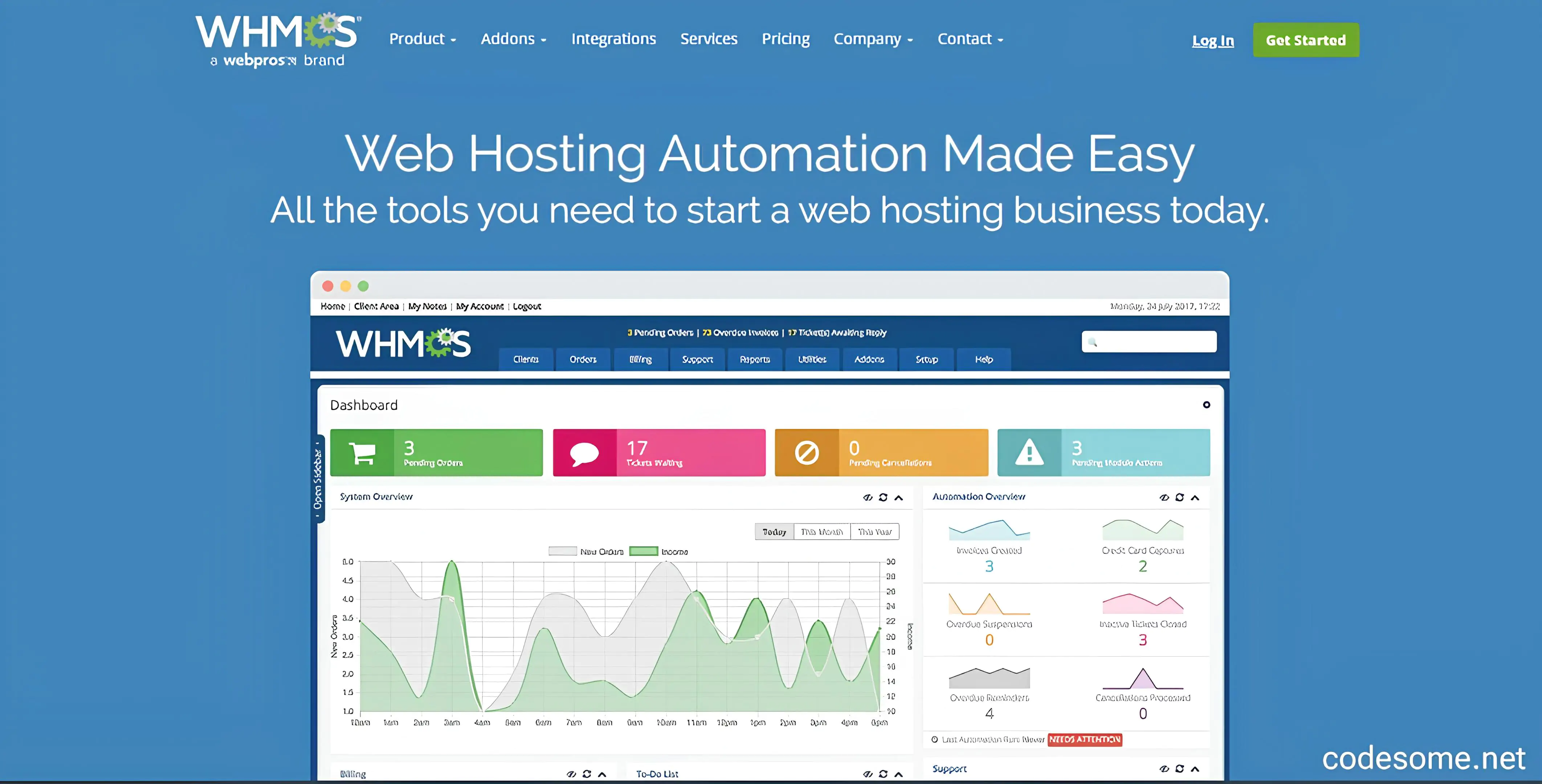
WHMCS (Web Host Manager Complete Solution) is a web hosting billing and automation platform designed to streamline and automate all aspects of running a web hosting business. It is particularly popular among web hosting providers, domain resellers, and IT service companies.
WHMCS - Web Hosting Billing Automation Script Features
Billing & Invoicing Automation
Automated Invoicing: Generates and sends invoices automatically.
Recurring Billing: Supports subscription-based billing (monthly, quarterly, yearly).
Multiple Payment Gateways: Integrates with PayPal, Stripe, Authorize.Net, Bitcoin, and more.
Tax & VAT Support: Configurable tax rules for different regions.
Late Fee & Overdue Notifications: Automated reminders for unpaid invoices.
Client Management
Client Profiles: Stores customer details, services, and billing history.
Self-Service Portal: Clients can manage services, update billing info, and submit tickets.
Custom Fields: Collect additional client information during signup.
Email Notifications: Automated emails for invoices, service renewals, and account updates.
Domain Registration & Management
Registrar Integration: Supports major registrars (e.g., Enom, OpenSRS, ResellerClub).
Domain Pricing Tiers: Set different pricing for TLDs and promotions.
Auto-Renewal & Transfers: Automates domain renewals and facilitates transfers.
DNS Management: Allows clients to manage DNS settings.
Hosting Automation
cPanel, Plesk, DirectAdmin Integration: Automates account provisioning/suspension.
Cloud & VPS Automation: Supports SolusVM, Proxmox, VMware, and more.
One-Click App Installer: Softaculous integration for easy script installations.
Server Monitoring: Tracks uptime and resource usage.
Support & Helpdesk System
Ticketing System: Centralized support with departments and canned responses.
Live Chat Integration: Supports tools like Tawk.to, LiveChat, etc.
Knowledgebase: Self-help articles for clients.
Announcements: Notify users about maintenance or updates.
Product & Service Management
Customizable Plans: Create hosting, VPS, SSL, and other service packages.
Addons & Configurable Options
Promotions & Discounts: Coupon codes, percentage discounts, and bulk pricing.
Bundled Services: Sell hosting with free domains or SSL certificates.
Security & Fraud Prevention
Two-Factor Authentication (2FA): For admin and client logins.
Captcha & Rate Limiting: Protects against spam and brute-force attacks.
Fraud Checks: MaxMind integration for fraud detection.
SSL Enforcement: Force HTTPS for admin and client areas.
Reporting & Analytics
Financial Reports: Revenue, expenses, and tax summaries.
Client Activity Logs: Track logins, transactions, and service changes.
Custom Reports: Generate CSV/PDF reports for business insights.
Multi-Language & Localization
Language Packs: Supports multiple languages (English, Spanish, French, etc.).
Currency Support: Multi-currency pricing and conversions.
API & Custom Integrations
Developer API: Allows custom integrations with third-party apps.
Webhooks: Real-time notifications for events (new order, invoice paid).
Zapier Integration: Connect WHMCS with 5,000+ apps.
Mobile-Friendly & Responsive Design
Admin & Client Area: Works on desktop and mobile devices.
Mobile Apps (Unofficial): Third-party apps for managing WHMCS on the go.
Marketplace & Addons
WHMCS Marketplace: Extensions for SEO tools, CRM, reseller modules, etc.
Custom Modules: Developers can create bespoke plugins.
White Label & Branding
Custom Branding: Remove WHMCS branding for resellers.
Email Templates: Customize emails with company logos and colors.
Compliance & Legal Tools
GDPR Compliance: Data export/deletion tools for EU customers.
Terms of Service & Privacy Policy: Configurable legal agreements.
Affiliate & Reseller System
Affiliate Program: Track referrals and pay commissions.
Reseller Support: Sub-account management for resellers.
What's New in Version 9.1.0
Released
Implemented
WHMCS-27002 — Iris Admin Theme Preview
WHMCS-27279 — Automatic MarketConnect Account Registration
Maintenance
WHMCS-25146 — Remove Unused Credit and Debit Note Number Incrementation Settings
WHMCS-26154 — Improve Security for the Installation and Upgrade Process
WHMCS-27300 — Correct Amount Column Sorting on My Credit and Debit Notes
WHMCS-27464 — Improve Security for the Setup Wizard
WHMCS-27465 — Add Description Label for Payment Methods at Cart Checkout
WHMCS-27564 — Correct Automatic Update Failure When the Site Is Accessed Mid-Update
WHMCS-28022 — Standardize Password Error Message Styling in the Client Area
WHMCS-28033 — Improve Navigation and TLD Selection in the Getting Started Wizard
WHMCS-28076 — Correct MarketConnect Service Management Actions in the Nexus Theme
WHMCS-28077 — Add Missing MarketConnect Dynamic Service Commands to the Nexus Theme
WHMCS-28113 — Improve Security for Knowledgebase Search in the Nexus Theme
WHMCS-28158 — Match Generated Password Length to the Minimum Password Length Setting
WHMCS-28166 — Correct OAuth Authorization Failure When Using the Nexus Theme
WHMCS-28382 — Correct Handling of Multiple Upgrades in the Nexus Cart
WHMCS-28444 — Show Billing Term Details in the Cart Item Price Tooltip
WHMCS-28459 — Correct Horizontal Scrolling on the Mobile View Cart Page in the Nexus Theme
Modules
WHMCS-26564 — Correct Error Paying Invoices with Stored Cards via Stripe Dynamic Payments
WHMCS-27903 — Preserve Assigned Shared IP Address on Package Change for Plesk
WHMCS-28135 — Update Retirement Notices on the Admin Dashboard for PayPal Legacy
WHMCS-28136 — Add Admin Area Warning for Outdated API Credentials in BitPay
WHMCS-28343 — Prevent Paid Plan Substitution When the Free Plan Is Disabled for Nova Cloud
WHMCS-28413 — Correct Password Field Display in the Getting Started Wizard for eNom
WHMCS-28470 — Remove PayPal Basic and PayPal Checkout modules
Version 9.1.0 (Beta)
Implemented
WHMCS-20034 — Support for PHP 8.4
WHMCS-20418 — Display notice of unsaved Ticket Scheduled Actions
WHMCS-22150 — Unattended Auto Updates for Maintenance Releases
WHMCS-24543 — Credit Notes Overview pages for Admin and Client Areas
WHMCS-24545 — View & Print function added to Credit Notes in the Client Area
WHMCS-24550 — Credit Notes support added to various reports and widgets
WHMCS-24689 — Setup Tasks Admin Dashboard widget
WHMCS-25096 — Stripe Dynamic Payments Gateway Module
WHMCS-26207 — Configurable Email Import Limits
WHMCS-27608 — Invoice Immutability and Credit Note Controls
Maintenance
WHMCS-18876 — Correct Promo Search on the Domains Tab
WHMCS-19711 — Improved timestamp handling for Last Capture Attempt entries on Invoices
WHMCS-22693 — Allow HTML5 video embedding in Knowledgebase Article body
WHMCS-22707 — Undisclosed Security Fix
WHMCS-24544 — Add Balance Column to Admin and Client Invoice Lists
WHMCS-24769 — Correct TypeError on Automation Settings Page with empty values
WHMCS-25011 — Improved error handling when allowing a grace period for an order.
WHMCS-25049 — Improved calculations in Sales Tax Liability report
WHMCS-25092 — Improved performance of Nexus Cart
WHMCS-25172 — Improved handling of the “Mark Paid” button when updating an unpaid invoice
WHMCS-25204 — Prevent Division By Zero Error When Downgrading a Recurring Product
WHMCS-25214 — Correct Font Awesome Path Regex to Stop Repeated CSS Injection
WHMCS-25294 — Improved handling of Fraud related Invoice statuses
WHMCS-25622 — Improvements to the Mobile View of Nexus Theme
WHMCS-25662 — Improved handling of PayPal payments in Stripe Dynamic Payments Gateway Module
WHMCS-25709 — Improved handling of Automatic Domain Renewal setting
WHMCS-25718 — Correct Upgrading a Marketplace Service via Nexus Cart
WHMCS-25887 — Removal of Paid invoices from the Income by Product report.
WHMCS-26041 — Undisclosed Security Fix
WHMCS-26447 — Improved sorting of Affiliate tables in the Admin Area
WHMCS-26561 — Correct IMAP Mail Import Using Stale Message IDs After Deletion
WHMCS-27003 — Improve Performance of the Staff Online Admin Query
WHMCS-27323 — Add System Health Check notice if storage locations are publicly writable
WHMCS-27326 — Correct Apply-Once Promo Codes Being Rejected by Other Orders
WHMCS-27427 — Enforce Block Existing Domains Setting for Direct Cart Links
WHMCS-28009 — Permit multiple devices to hold an active Remember Me admin token
Modules
WHMCS-20973 — Switch module endpoint to use port 443 in PSIGate
WHMCS-21414 — Correct scheme name for EUR transactions in GoCardless
WHMCS-22763 — Update BitPay module to Unified SDK
WHMCS-24148 — Improved process handling for PreInvoiceAutomaticCancellation hook point
WHMCS-25097 — Implemented a migration feature for Stripe to Stripe Dynamic Gateway Modules
WHMCS-26138 — Strengthen Generated Automatic Payment Password for WorldPay
WHMCS-26190 — Improved handling of payment captures when using the Stripe Dynamic Payment Gateway
WHMCS-26359 — Improve security around Staff Noticeboard
WHMCS-26385 — Correct WP Toolkit provisioning in cPanel
WHMCS-27404 — Update to XML RPC protocol version to 1.6.9.1 in Plesk
WHMCS-27409 — Improve validation of API Endpoint URLs
WHMCS-27443 — Correct SoapFault error during EV SSL Configuration for GlobalSign
WHMCS-27532 — Update Suspension and Unsuspension in Plesk
WHMCS-27812 — Update Change Password in Plesk
WHMCS-27880 — Improve accuracy of Module Debug Logs in Plesk
API
WHMCS-24522 — Added Bundle Name to the Cart Item response payload in REST API
WHMCS-24523 — Added Product Type to Bundle Items in the Cart response payload in REST API
WHMCS-27181 — Undisclosed Security Fix
WHMCS-27208 — Improve handling of Addon Billing Cycle in REST API
WHMCS-27266 — Added headless checkout and payment endpoints to the REST API
Join the conversation
You can post now and register later. If you have an account, sign in now to post with your account.