





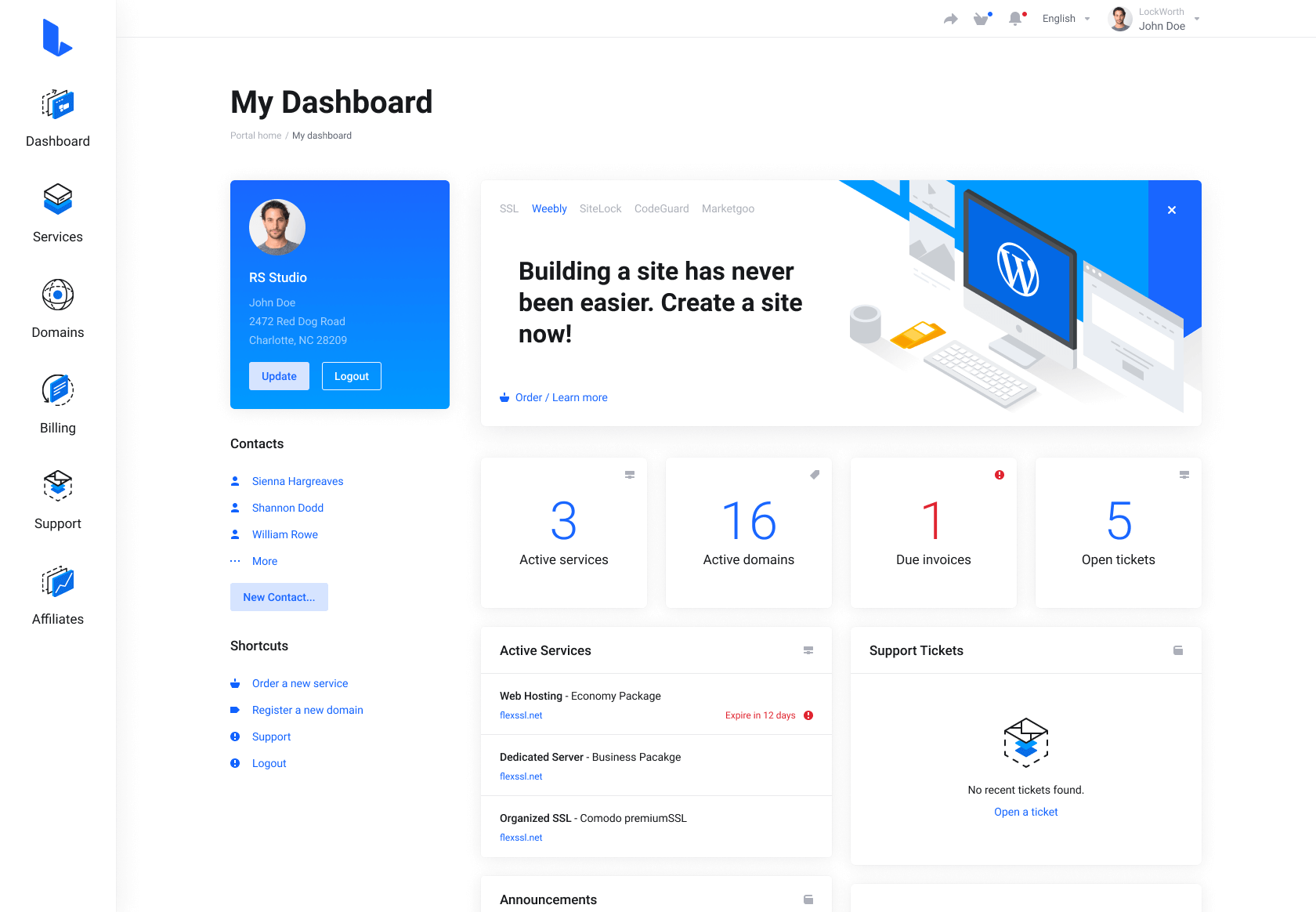
Lagom WHMCS Client Theme is a modern, clean, and user-friendly design template created specifically for WHMCS, a popular client management and billing platform for web hosting companies. The theme aims to enhance the user experience by providing a sleek and professional interface for clients to manage their accounts, view invoices, submit support tickets, and access other services seamlessly.
Lagom WHMCS Client Theme is a premium theme for WHMCS, the client management, billing, and automation platform widely used by web hosting companies. The theme replaces WHMCS's default client-area interface with a more modern, responsive, and customizable design.
Lagom WHMCS Theme features
According to its documentation and marketplace listing, Lagom includes:
Multiple layouts and page templates
Responsive design for desktop, tablet, and mobile
Style and color customization
Menu management tools
Homepage and landing-page customization
Dark mode support
SEO management options
Integration support for various WHMCS modules
Custom fonts and navigation styles
Client dashboards
Hosting and domain management pages
Order forms and checkout flows
Support ticket areas
Billing and invoice pages
Customizable layouts and color schemes
Intuitive navigation menus
Improved user interface elements
Faster load times and optimized performance
What's New in Version 2.4.5
Released
Client Area
New Classic Domain Search as Default - Added an option to set Classic WHMCS Namespinning as the default domain search method across the website instead of WHMCS AI Namespinning - Case #1597.
Improvements Improved Client Area performance by reducing repeated database queries during page loading - Case #1578.
Improvements Improved accessibility-related markup across multiple pages and interface elements - Cases #1447, #1612.
Improvements Improved the French language file for Lagom WHMCS Client Theme by adding missing entries and correcting existing translations - Case #1378.
Fix Fixed an issue where searching custom numbered invoices in Client Area did not work correctly when the Table Dynamic AJAX Loading option was enabled - Case #1590.
Fix Fixed an issue where the "RS Studio" template on the Invoice PDF page did not handle invoice variables correctly - Case #1614.
Fix Fixed an issue where bank transfer details were not displayed on the Invoice PDF page when the "RS Studio" template was used and the Display Bank Transfer Details on the Invoice option was enabled - Case #1498.
Fix Fixed an issue where the "Server Monitoring" pricing link on the "360 Monitoring" page did not open the correct pricing section - Case #1610.
Fix Fixed an issue where Sticky Navigation could leave an empty space above the menu after resizing or zooming the browser window - Case #1601.
Fix Other minor appearance fixes.
Order Process
Fix Fixed an issue where the "Total Due Today" value on the View Cart page could switch to the default system currency price after changing the billing country - Case #1607.
Fix Fixed an issue where addon prices on the View Cart page could be displayed as 0 after changing the billing country when Display VAT Based on Selected Country was enabled - Case #1576.
Fix Fixed an issue where domain addon prices on the View Cart page could use the yearly price instead of the selected domain billing cycle - Case #1608.
Fix Fixed an issue where product prices on the Products page were not calculated using the Lowest monthly price from all billing cycles option when "Horizontal Packages" was enabled - Case #1609.
Fix Fixed an issue where domain search results on the Domain Register page did not refresh when searching the same phrase again after changing filters - Case #1595.
Fix Other minor appearance fixes.
Addon
Improvements Improved handling of optional theme data to reduce non-critical PHP warnings in system logs - Case #1586.
Fix Fixed an issue where changing a navigation menu item type in Menu Manager could disable the "Save Changes" button - Case #1602.
Fix Fixed an issue where using the "Refresh" button in the "Info" tab could deactivate Extensions even when the license key had not changed - Case #501.
Fix Other minor fixes.
Join the conversation
You can post now and register later. If you have an account, sign in now to post with your account.